• Produktbild: Teaching With the Tools Kids Really Use
  • Produktbild: Teaching With the Tools Kids Really Use

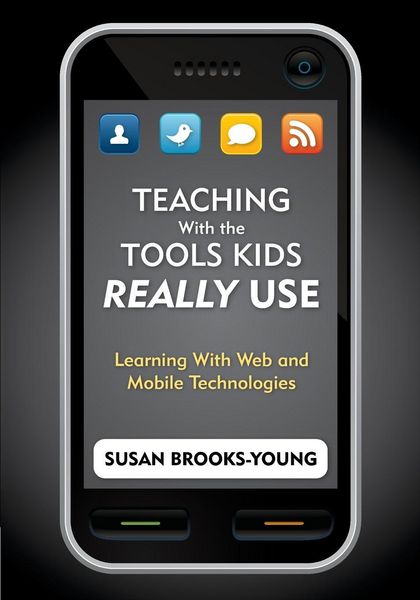
Teaching With the Tools Kids Really Use Learning With Web and Mobile Technologies

42,99 €

inkl. gesetzl. MwSt., Versandkostenfrei


Beschreibung

Produktdetails

Einband

Taschenbuch

Erscheinungsdatum

03.02.2010

Herausgeber

Brooks-Young Susan J.

Verlag

Sage Publications

Seitenzahl

152

Maße (L/B/H)

25,4/17,8/0,8 cm

Gewicht

310 g

Sprache

Englisch

ISBN

978-1-4129-7275-8

Beschreibung

Produktdetails

Einband

Taschenbuch

Erscheinungsdatum

03.02.2010

Herausgeber

Brooks-Young Susan J.

Verlag

Sage Publications

Seitenzahl

152

Maße (L/B/H)

25,4/17,8/0,8 cm

Gewicht

310 g

Sprache

Englisch

ISBN

978-1-4129-7275-8

Herstelleradresse

Libri GmbH
Europaallee 1
36244 Bad Hersfeld
DE

Email: gpsr@libri.de

Kundinnen und Kunden meinen

0 Bewertungen

Informationen zu Bewertungen

Zur Abgabe einer Bewertung ist eine Anmeldung im Konto notwendig. Die Authentizität der Bewertungen wird von uns nicht überprüft. Wir behalten uns vor, Bewertungstexte, die unseren Richtlinien widersprechen, entsprechend zu kürzen oder zu löschen.

Die Bewertungen sind nach Format, Anzahl Sterne und Datum sortiert.

Verfassen Sie die erste Bewertung zu diesem Artikel

Helfen Sie anderen Kund*innen durch Ihre Meinung

Kundinnen und Kunden meinen

0 Bewertungen filtern

Weitere Artikel finden Sie in

  • Produktbild: Teaching With the Tools Kids Really Use
  • Produktbild: Teaching With the Tools Kids Really Use
  • Acknowledgments
    About the Author
    Introduction
    1. 21st-Century Skills
    What Are 21st Century Skills?
    Common Objections to Teaching 21st Century Skills
    Changing Points of View
    Strategies for Classroom Use
    Practical Suggestions
    Discussion Points
    References
    Part I. Mobile Technologies
    2. Cell Phones
    The Scoop on Cell Phones
    Common Objections to Cell Phone Use on Campus
    Changing Points of View
    Strategies for Classroom Use
    Practical Suggestions
    Discussion Points
    References
    3. MP3 Players
    MP3 Player Basics
    Common Objections to Use of MP3 Players on Campus
    Changing Points of View
    Strategies for Classroom Use
    Practical Suggestions-Using Existing Files
    Practical Suggestions-Podcasting Basics
    Discussion Points
    References
    4. Netbooks
    Netbooks 101
    Common Objections to Use of Netbooks on Campus
    Changing Points of View
    Strategies for Classroom Use
    Practical Suggestions
    Discussion Points
    References
    Part II. Web 2.0 Tools
    5. Social Networking
    Introduction to Social Networks
    Common Objections to Use of Social Network Services on Campus
    Changing Points of View
    Strategies for Classroom Use
    Practical Suggestions
    Discussion Points
    References
    6. Virtual Worlds
    Virtual World Basics
    Common Objections to Use of Virtual Worlds on Campus
    Changing Points of View
    Strategies for Classroom Use
    Practical Suggestions
    Discussion Points
    References
    7. Creating Content-Writing
    Writing Online
    Common Objections to Classroom Use of Online Writing Tools
    Changing Points of View
    Strategies for Classroom Use
    Practical Suggestions
    Discussion Points
    References
    8. Creating Content-Images
    Online Photos and Video
    Common Objections to Classroom Use of Online Photo and Video Sites
    Changing Points of View
    Strategies for Classroom Use
    Practical Suggestions
    Discussion Points
    References
    9. Gaming
    The Basics About Games and Gaming
    Common Objections to Classroom Use of Online and Video Games
    Changing Points of View
    Strategies for Classroom Use
    Practical Suggestions
    Discussion Points
    References
    10. Digital Citizenship
    Ethical Use of Technology
    Discussion Points
    References
    11. Decision Making and Implementation Model
    Who's Calling the Shots?
    Thinking Ahead
    Decision Making Model
    Glossary
    Web Sites by Topic
    Index