
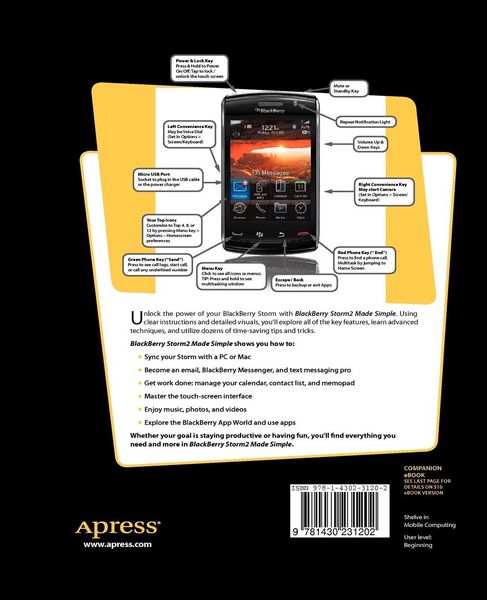
• Produktbild: BlackBerry Storm2 Made Simple
  • Produktbild: BlackBerry Storm2 Made Simple

BlackBerry Storm2 Made Simple Written for the Storm 9500 and 9530, and the Storm2 9520, 9530, and 9550

31,99 €

inkl. gesetzl. MwSt., Versandkostenfrei


Beschreibung

Produktdetails

Einband

Taschenbuch

Erscheinungsdatum

01.09.2010

Verlag

Apress

Seitenzahl

640

Maße (L/B/H)

23,5/19,1/3,4 cm

Gewicht

1176 g

Auflage

1st ed.

Sprache

Englisch

ISBN

978-1-4302-3120-2

Beschreibung

Produktdetails

Einband

Taschenbuch

Erscheinungsdatum

01.09.2010

Verlag

Apress

Seitenzahl

640

Maße (L/B/H)

23,5/19,1/3,4 cm

Gewicht

1176 g

Auflage

1st ed.

Sprache

Englisch

ISBN

978-1-4302-3120-2

Herstelleradresse

Libri GmbH
Europaallee 1
36244 Bad Hersfeld
DE

Email: gpsr@libri.de

Noch keine Bewertungen vorhanden

Verfassen Sie die erste Bewertung zu diesem Artikel

Helfen Sie anderen Kundinnen und Kunden durch Ihre Meinung.

Kundinnen und Kunden meinen

Bewertungen (0)

  • Produktbild: BlackBerry Storm2 Made Simple
  • Produktbild: BlackBerry Storm2 Made Simple
  • Contents at a Glance 4.- Detailed Contents 5.- Authors & Acknowledgements 11.- Other BlackBerry & Smartphone Learning Products 13.- Quick Reference Guide 14.- Staying In Touch 15.- Stay Organized With Your Blackberry 16.- Be Entertained With Your Blackberry 17.- Personalize Your Blackberry 18.- Add & Remove Software Icons 18.- Learning 19.- The Screen, Buttons, And More 19.- Reading Your Top Status Bar 20.- Your Blackberry: Learning Touch Screen Gestures 21.- Basic Touch Screen Gestures 22.- Starting Icons 23.- Selecting 23.- Click On Many 24.- Hover For Pop-Up Information 24.- Swipe Gesture 25.- Hiding And Showing The Keyboard 25.- Multi-Tasking 26.- Scrolling Up And Down The Screen 27.- Scrolling And Tap To Show/Hide Controls Or Soft Keys 28.- Select, Copy & Paste Text With Multitouch Mode 34.- Introduction 35.- Chapter 1: Setup Wizard & Email Setup 42.- Chapter 2: Windows(tm) PC Setup 61.- Chapter 3: Apple(r) Mac(tm) Setup 86.- Chapter 4: Typing, Spelling & Help 103.- Chapter 5: Personalize your BlackBerry 120.- Chapter 6: Sounds: Ring & Vibrate 139.- Chapter 7: Phone & Voice Dialing 147.- Chapter 8: Advanced Phone 166.- Chapter 9: Social Networking 182.- Chapter 10: Email Like a Pro 189.- Chapter 11: Your Contact List 208.- Chapter 12: Manage Your Calendar 224.- Chapter 13: Get Tasks Done 245.- Chapter 14: MemoPad: Sticky Notes 251.- Chapter 15: SMS Text & MMS 261.- Chapter 16: Even More Messaging 271.- Chapter 17: Add Memory & Media 287.- Chapter 18: Your Music Player 294.- Chapter 19: Snapping Pictures 306.- Chapter 20: Fun with Videos 321.- Chapter 21: BlackBerry as a Tethered Modem 326.- Chapter 22: Connect with Bluetooth 328.- Chapter 23: Surf the Web 337.- Chapter 24: Add or Remove Software 350.- Chapter 25: Maps & Directions 357.- Chapter 26: Other Applications 367.- Chapter 27: Searching for Lost Stuff 372.- Chapter 28: Fixing Problems 377.- Chapter 29: Boost Your Battery 385.- Chapter 30: Simple Video Tutorials 388.