Gutscheinbedingungen

Gültig bis 13.07.2026 | Gültig für Spielzeug (außer Tonieboxen & ausgewählte Tonies), Filme, Musik, Software, Games, Schreibwaren, Hörbücher und Hörbuch-Downloads (außer Abo & Shelfies), gebrauchte Bücher, nicht preisgebundene Bücher und Kalender | Einlösbar unter osiander.de und in der Osiander App | Click & Collect nur mit Online-Zahlung (Paypal/Kreditkarte) vorab | Einzelne Artikel können ausgeschlossen sein | Nicht kombinierbar mit anderen Gutscheinen oder Preisaktionen | Nur einmal pro Einkauf einlösbar | Gutschein wird auf max. 500€ Bestellwert angerechnet | Keine Barauszahlung | Digitale Hörbücher nur für Android | Nicht gültig für preisgebundene Artikel (aufgrund der Buchpreisbindung sind Gutscheine nicht auf Bücher, eBooks, Presse einlösbar), tolino eReader & Zubehör, Elektronik, Geschenke & Trends, Abonnements & Flatrates, Geschenkkarten, Versandkosten und Services

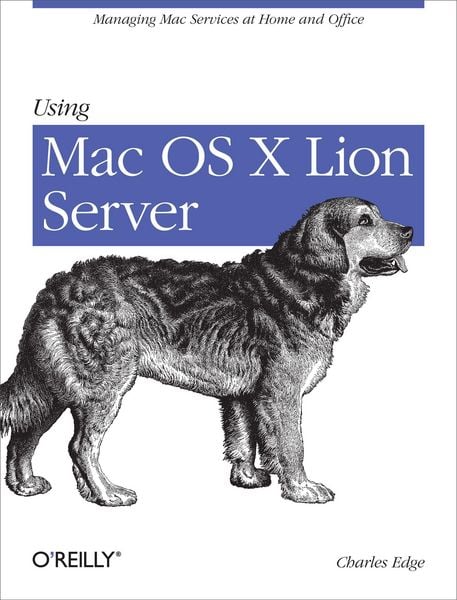
Produktbild: Using Mac OS X Lion Server

Using Mac OS X Lion Server Managing Mac Services at Home and Office

35,99 €

inkl. gesetzl. MwSt., Versandkostenfrei


Beschreibung

Produktdetails

Einband

Taschenbuch

Erscheinungsdatum

24.04.2012

Verlag

O'Reilly Media

Seitenzahl

220

Maße (L/B/H)

23,3/17,9/2 cm

Gewicht

364 g

Sprache

Englisch

ISBN

978-1-4493-1605-1

Beschreibung

Produktdetails

Einband

Taschenbuch

Erscheinungsdatum

24.04.2012

Verlag

O'Reilly Media

Seitenzahl

220

Maße (L/B/H)

23,3/17,9/2 cm

Gewicht

364 g

Sprache

Englisch

ISBN

978-1-4493-1605-1

Herstelleradresse

Libri GmbH
Europaallee 1
36244 Bad Hersfeld
DE

Email: gpsr@libri.de

Noch keine Bewertungen vorhanden

Verfassen Sie die erste Bewertung zu diesem Artikel

Helfen Sie anderen Kundinnen und Kunden durch Ihre Meinung.

Kundinnen und Kunden meinen

Bewertungen (0)

Die Leseprobe wird geladen.
  • Produktbild: Using Mac OS X Lion Server
  • Preface;
    Audience;
    Organization and Structure;
    Conventions Used in This Book;
    Using Code Examples;
    Safari® Books Online;
    How to Contact Us;
    Acknowledgements;
    Chapter 1: Planning;
    1.1 The Minimum;
    1.2 Choosing the Right Hardware;
    1.3 Planning Your Server's Network Configuration;
    1.4 What's In a Name?: DNS;
    1.5 Link Aggregation;
    1.6 Using Multiple IP Addresses;
    1.7 Accessing the Server from Outside the Network;
    1.8 Conclusion;
    Chapter 2: Installation;
    2.1 Base OS Installation;
    2.2 Configuring Energy Saver;
    2.3 Installing the Server Software;
    2.4 Creating Users;
    2.5 Setting Up Open Directory;
    2.6 Using Workgroup Manager;
    2.7 Conclusion;
    Chapter 3: Sharing and Backing Up Files;
    3.1 Managing File and Folder Access with Permissions;
    3.2 Enabling Sharing;
    3.3 Connecting from Clients;
    3.4 Backing Up;
    3.5 Backing Up Client Workstations;
    3.6 Conclusion;
    Chapter 4: Sharing Address Books, Calendars, and iChat;
    4.1 Sharing Address Books;
    4.2 Sharing Calendars;
    4.3 Setting Up a Private iChat Server;
    4.4 Conclusion;
    Chapter 5: Wikis, Webs, and Blogs;
    5.1 Setting Up a Website;
    5.2 Setting Up a Wiki;
    5.3 Blogs;
    5.4 Site Redirection;
    5.5 Conclusion;
    Chapter 6: Building a Mail Server;
    6.1 Before You Install;
    6.2 Installing the Mail Service;
    6.3 Installing Clients;
    6.4 Protecting Mail: Message Hygiene;
    6.5 Configuring WebMail;
    6.6 Using WebMail;
    6.7 Conclusion;
    Chapter 7: Building Your Own Podcasting Server;
    7.1 Before You Begin;
    7.2 Building Podcast Producer;
    7.3 Podcasting;
    7.4 Accessing Content;
    7.5 Customizing Workflows;
    7.6 Remote Recording;
    7.7 Conclusion;
    Chapter 8: Managing Apple Computers and iOS Devices;
    8.1 Profile Manager;
    8.2 Managed Preferences;
    8.3 Software Update Services;
    8.4 Conclusion;
    Chapter 9: Network Services;
    9.1 When to Use Apple's Network Services;
    9.2 Setting Up a VPN Server;
    9.3 Sharing IP Addresses Using NAT;
    9.4 Hosting Your Own DNS;
    9.5 Configuring Wireless Access with RADIUS;
    9.6 Managing the Adaptive Firewall;
    9.7 Conclusion;
    Chapter 10: Deploying Mac OS X Computers;
    10.1 The Basics of Imaging Mac OS X;
    10.2 Imaging with Disk Utility;
    10.3 Using NetBoot;
    10.4 Using NetInstall;
    10.5 Deploying Computers with NetRestore;
    10.6 Conclusion;