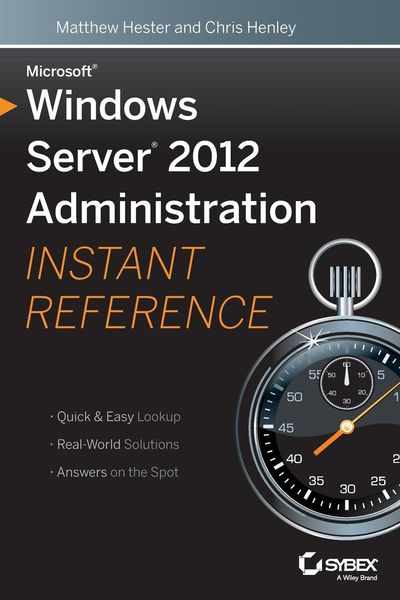
Produktbild: Microsoft Windows Server 2012 Administration Instant Reference

Microsoft Windows Server 2012 Administration Instant Reference

32,99 €

inkl. gesetzl. MwSt., Versandkostenfrei


Beschreibung

Produktdetails

Einband

Taschenbuch

Erscheinungsdatum

24.06.2013

Verlag

John Wiley & Sons Inc

Seitenzahl

592

Maße (L/B/H)

22,9/15,2/3,2 cm

Gewicht

848 g

Auflage

1. Auflage

Sprache

Englisch

ISBN

978-1-118-56188-1

Beschreibung

Produktdetails

Einband

Taschenbuch

Erscheinungsdatum

24.06.2013

Verlag

John Wiley & Sons Inc

Seitenzahl

592

Maße (L/B/H)

22,9/15,2/3,2 cm

Gewicht

848 g

Auflage

1. Auflage

Sprache

Englisch

ISBN

978-1-118-56188-1

Herstelleradresse

Libri GmbH
Europaallee 1
36244 Bad Hersfeld
DE

Email: GPSR Kontakt

Noch keine Bewertungen vorhanden

Verfassen Sie die erste Bewertung zu diesem Artikel

Helfen Sie anderen Kundinnen und Kunden durch Ihre Meinung.

Kundinnen und Kunden meinen

Bewertungen (0)

Die Leseprobe wird geladen.
  • Produktbild: Microsoft Windows Server 2012 Administration Instant Reference
  • Introduction xvii

    Part I Getting Started 1

    Chapter 1: Getting Started with Windows Server 2012 3

    Plan for Windows Server 2012 4

    Understand Hardware Requirements 5

    Understand Windows Server 2012 Editions and Roles 6

    Understand Server Core 9

    Consider Your Licensing Options 11

    Install Windows Server 2012 12

    Perform a Windows Server 2012 Full Installation 12

    Perform a Windows Server 2012 Server Core Installation 19

    Use sconfig to Configure Your Windows Server 2012 Server Core 19

    Upgrade to Windows Server 2012 22

    Install Windows Server 2012 Server Unattended 26

    Migrate to Windows Server 2012 32

    Install Windows Server 2012 Migration Tools 33

    Migrate to Windows Server 2012 38

    A New Server Manager 38

    Chapter 2: Adding Server Roles and Functionality 43

    Plan for Windows Server 2012 Roles 44

    Plan for Active Directory 45

    Plan for Hyper-V 49

    Understand Remote Desktop Services 50

    Understand Windows Server 2012 Features 52

    Install Windows Server 2012 Roles 57

    Install Roles on a Windows Server 2012 Full Server Installation 58

    Install Roles on a Windows Server 2012 Server Core Installation 71

    Chapter 3: Automating Administrative Tasks with Windows Server 2012 77

    Understand the Basics of Windows PowerShell v3 78

    Understand Windows PowerShell v3 Terminology and Structure 78

    Enable Windows PowerShell v3 82

    Understand Security in Windows PowerShell 82

    Learn to Help Yourself to PowerShell 84

    Take the Next Step 91

    Use PowerShell Remoting 99

    Enable PowerShell Remoting 99

    Run Remote Commands 100

    Understand PowerShell Integrated Scripting Environment (ISE) 103

    Work with the PowerShell ISE 103

    Part II Manage Active Directory and Local Users 109

    Chapter 4: Maintaining Users and Groups 111

    Understand Local Users and Groups 112

    Learn Default Local Users and Groups 112

    Administer Local Users and Groups 115

    Understand Local User Rights 127

    Work with Local Account Policies 129

    Understand Active Directory Users and Groups 135

    Learn Active Directory Users and Groups Terminology 135

    Join an Active Directory Domain as a Member 137

    Work with Active Directory and Local Groups 138

    Manage Users and Groups in Active Directory 139

    Automate User and Group Management 146

    Load AD PowerShell Modules 147

    Work with Users and Groups in PowerShell 147

    Use the AD Recycle Bin 151

    Chapter 5: Managing and Replicating Active Directory 157

    Manage the Active Directory Database 158

    Maintain FSMO Roles 159

    Transfer FSMO Roles 161

    Defragment the Directory Database 166

    Audit Active Directory Service 168

    Use Fine-Grained Password Policy 172

    Create PSOs 173

    Understand Active Directory Replication 177

    Understand the Components of Replication 177

    Understand the Physical Constructs of Replication 179

    Chapter 6: Maintaining and Controlling the Centralized Desktop 183

    Understand Group Policy 184

    Know the Difference Between Policy and Preferences 186

    Understand the Scope of Group Policy Management 188

    Understand and Control the Order of Precedence 189

    Learn Group Policy Processing 191

    Administer Group Policy 198

    Use the Group Policy Management Editor 208

    Automate Group Policy Administrator Tasks 212

    Troubleshoot Group Policy 213

    Use the Group Policy Modeling Wizard 214

    Use Tools to See the RSOP 216

    Part III Data Access and Management 221

    Chapter 7: Configuring Folder Security, Access, and Replication 223

    Implement Permissions 224

    Set Standard NTFS Permissions 225

    Set Special NTFS Permissions 226

    View Effective NTFS Permissions 228

    Take Ownership of an NTFS Folder 229

    Share Folders 231

    Create a Shared Folder 231

    Implement Advanced Sharing 232

    Resolve Permission Conflicts 234

    Configure Offline File Caching 237

    Secure Folders and Files 239

    Configure the Encrypting File System 239

    Configure BitLocker Drive Encryption 241

    Install and Enable BitLocker 242

    Recover BitLocker 247

    Use the BitLocker To Go Tool 248

    Implement the Distributed File System 250

    Configure a DFS Namespace 251

    Configure Replication Groups 254

    Enable Previous Versions of Files 257

    Restore a Previous Version 258

    Chapter 8: Backing Up and Recovering Your Server 261

    Understand Backup and Recovery 262

    Understand Backup and Recovery Terminology 263

    Use Backup and Recovery Tools 264

    Manage Backup and Recovery 270

    Back Up Your Server 271

    Recover Your Data 282

    Recover via Shadow Copy 292

    Perform Backup and Recovery with Command Tools 294

    Use wbadmin.exe 294

    Use PowerShell 297

    Chapter 9: Managing Disks and Disk Storage 301

    Understand the Basics 302

    Learn Disk Management and Storage Terminology 302

    Work with Your Storage 305

    Work with Partitions 312

    Use DiskPart 315

    Work with RAID Volumes 318

    Understand RAID Levels 318

    Implement RAID 321

    Manage Disk Storage 327

    Manage Disk Storage Quotas 327

    Work with Data Deduplication 331

    Work with Storage Spaces 336

    Understand Storage Spaces 336

    Create and Configure Storage Spaces 338

    Part IV Network Configuration and Communication 345

    Chapter 10: Maintaining Your Web Server 347

    Install Internet Information Services 348

    Understand Internet Information Services Role Services 348

    Install IIS on Windows Server 2012 Full Server Installation 354

    Install IIS on Windows Server 2012 Core Server 355

    Manage Internet Information Services 358

    Work with the IIS Management Console 359

    Remotely Manage IIS Servers 365

    Manage IIS with PowerShell 370

    Work with Websites 374

    Understand the Basics of IIS Websites 374

    Work with Applications 377

    Integrate PHP Applications in IIS 379

    Chapter 11: Administering DNS 383

    Add and Remove DNS Servers 384

    Add a DNS Server 384

    Configure a New DNS Server 386

    Add Query Forwarding 388

    Configure a Caching-Only DNS Server 390

    Remove a DNS Server 392

    Manage a DNS Server 393

    Change the Address of a DNS Server 393

    Configure a DNS Server to Listen Only on a Selected Address 394

    Scavenge Properties for DNS 395

    Manage DNS Integration with Active Directory 397

    Change Zone Replication 401

    Manage Zone Database Files 402

    Configure Single-Label DNS Resolution 410

    Troubleshoot DNS 412

    Chapter 12: Troubleshooting TCP/IP 415

    Understand TCP/IP Basics 416

    Troubleshoot TCP/IP 417

    Understand Troubleshooting Tools 418

    Troubleshoot IPv6 420

    Verify Connectivity for IPv6 421

    Verify Responsiveness 423

    Check the Routing Table for IPv6 425

    Validate DNS Name Resolution for IPv6 Addresses 426

    Flush the DNS Cache 426

    Test IPv6 TCP Connections 427

    Troubleshoot IPv4 428

    Use the Network Connection Repair Tool 428

    Verify IPv4 Connectivity 429

    Verify Responsiveness 430

    Check the Routing Table for IPv4 432

    Validate DNS Name Resolution for IPv4 Addresses 432

    Flush the DNS Cache 433

    Test IPv4 TCP Connections 434

    Part V Manage Desktop and Server Virtualization 435

    Chapter 13: Managing Remote Access to Your Server 437

    Understand Remote Desktop Services 438

    Understand the Remote Desktop Services Role 438

    Install Remote Desktop Services Role Services 439

    Manage Remote Desktop Services 445

    Administer Remote Desktop Session Host 445

    Activate Remote Desktop Licensing Server 449

    Configure Remote Desktop Gateway 450

    Configure Remote Desktop Connection Broker 452

    Configure Remote Desktop Web Access 453

    Work with Virtual Desktop Infrastructure 456

    Work with Remote Clients 457

    Install and Configure Windows Server 2012 VPNs 457

    Install and Configure DirectAccess 463

    Chapter 14: Maintaining Virtual Machines 465

    Understand Virtualization with Hyper-V 466

    Install Hyper-V 466

    Work with Virtual Networks 468

    Build Virtual Machines 471

    Create a Virtual Machine 472

    Create Virtual Hard Disks 473

    Work with Virtual Machine Settings 476

    Install an Operating System 486

    Connect to a Virtual Machine 488

    Use Snapshots 489

    Import a Virtual Machine 491

    Export a Virtual Machine 493

    Replicate a Virtual Machine 495

    Part VI Server Tuning and Maintenance 497

    Chapter 15: Tuning and Monitoring Performance 499

    Analyze Server Roles 500

    Understand the Best Practices Analyzer 500

    Use the Best Practices Analyzer 503

    Use PowerShell with the Best Practices Analyzer 507

    View Server Performance Data 509

    Create a System Health Report 510

    Understand Performance Monitor 514

    View Server Events 522

    Work with the Event Viewer 522

    Chapter 16: Keeping Your Servers Up-to-Date 531

    Work with Windows Updates 532

    Find Out What Updates Are 532

    Use Windows Update 533

    Enable Automatic Updates 535

    View Installed Updates 537

    Remove an Update 538

    Install Automatic Updates Between Scheduled Times 540

    Use Group Policy to Configure Automatic Updates 540

    Work with Windows Server Update Services 544

    Do a Simple WSUS Deployment 544

    Get WSUS Updates on Disconnected Networks 548

    Use WSUS with Branch Cache 549

    Learn the WSUS Requirements 550

    Get More Information on WSUS 551

    Index 553