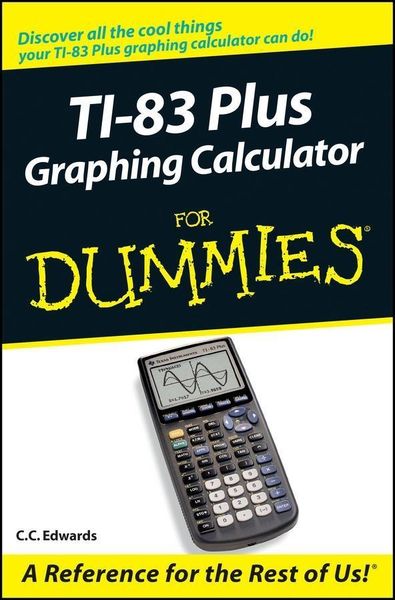
TI-83 Plus Graphing Calculator For Dummies
-
- Taschenbuch
- eBook ausgewählt
-
Form:Einzelkauf Download
-
Sprache:Englisch
13,99 €
inkl. gesetzl. MwSt.Beschreibung
Produktdetails
Format
Kopierschutz
Ja
Family Sharing
Nein
Text-to-Speech
Nein
Erscheinungsdatum
20.01.2004
Verlag
Wiley-IEEE PressSeitenzahl
288 (Printausgabe)
Dateigröße
3637 KB
Auflage
1. Auflage
Sprache
Englisch
EAN
9780764559204
Would you order a multi-course gourmet buffet and just eat salad?
If you have a TI-83 Plus graphing calculator, you have a veritable
feast of features and functions at your fingertips, but chances are
you don't take full advantage of them. This friendly guide
will help you explore your TI-83 Plus Graphing Calculator and use
it for all it's worth, and that's a lot. With
easy-to-follow, step-by-step instructions plus screen shots,
TI-83 Plus Graphing Calculator For Dummies shows you how to:
* Perform basic arithmetic operations
* Use Zoom and panning to get the best screen display
* Use all the functions in the Math menu, including the four
submenus: MATH, NUM, CPS, and PRB
* Use the fantastic Finance application to decide whether to
lease or get a loan and buy, calculate the best interest, and
more
* Graph and analyze functions by tracing the graph or by creating
a table of functional values, including graphing piecewise-defined
and trigonometric functions
* Explore and evaluate functions, including how to find the
value, the zeros, the point of intersection of two functions, and
more
* Draw on a graph, including line segments, circles, and
functions, write text on a graph, and do freehand drawing
* Work with sequences, parametric equations, and polar
equations
* Use the Math Probability menu to evaluate permutations and
combinations
* Enter statistical data and graph it as a scatter plot,
histogram, or box plot, calculate the median and quartiles, and
more
* Deal with matrices, including finding the inverse, transpose,
and determinant and using matrices to solve a system of linear
equations
Once you discover all you can do with your TI-83 Plus Graphing
Calculator, you'll find out how to make it do more! This
guide shows you how to download and install the free TI Connect
software to connect your calculator to your computer, and how to
link it to other calculators and transfer files. It shows you how
to help yourself to more than 40 applications you can download from
the TI Web site, and most of them are free. You can choose from
Advanced Finance, CellSheet, that turns your calculator into a
spread sheet, NoteFolio that turns it into a word processor,
Organizer that lets you schedule events, create to-do lists, save
phone numbers and e-mail addresses, and more.
Get this book and discover how your TI-83 Plus Graphing
Calculator can solve all kinds of problems for you.
If you have a TI-83 Plus graphing calculator, you have a veritable
feast of features and functions at your fingertips, but chances are
you don't take full advantage of them. This friendly guide
will help you explore your TI-83 Plus Graphing Calculator and use
it for all it's worth, and that's a lot. With
easy-to-follow, step-by-step instructions plus screen shots,
TI-83 Plus Graphing Calculator For Dummies shows you how to:
* Perform basic arithmetic operations
* Use Zoom and panning to get the best screen display
* Use all the functions in the Math menu, including the four
submenus: MATH, NUM, CPS, and PRB
* Use the fantastic Finance application to decide whether to
lease or get a loan and buy, calculate the best interest, and
more
* Graph and analyze functions by tracing the graph or by creating
a table of functional values, including graphing piecewise-defined
and trigonometric functions
* Explore and evaluate functions, including how to find the
value, the zeros, the point of intersection of two functions, and
more
* Draw on a graph, including line segments, circles, and
functions, write text on a graph, and do freehand drawing
* Work with sequences, parametric equations, and polar
equations
* Use the Math Probability menu to evaluate permutations and
combinations
* Enter statistical data and graph it as a scatter plot,
histogram, or box plot, calculate the median and quartiles, and
more
* Deal with matrices, including finding the inverse, transpose,
and determinant and using matrices to solve a system of linear
equations
Once you discover all you can do with your TI-83 Plus Graphing
Calculator, you'll find out how to make it do more! This
guide shows you how to download and install the free TI Connect
software to connect your calculator to your computer, and how to
link it to other calculators and transfer files. It shows you how
to help yourself to more than 40 applications you can download from
the TI Web site, and most of them are free. You can choose from
Advanced Finance, CellSheet, that turns your calculator into a
spread sheet, NoteFolio that turns it into a word processor,
Organizer that lets you schedule events, create to-do lists, save
phone numbers and e-mail addresses, and more.
Get this book and discover how your TI-83 Plus Graphing
Calculator can solve all kinds of problems for you.
Noch keine Bewertungen vorhanden
Verfassen Sie die erste Bewertung zu diesem Artikel
Helfen Sie anderen Kundinnen und Kunden durch Ihre Meinung.
Kurze Frage zu unserer Seite
Vielen Dank für Ihr Feedback
Wir nutzen Ihr Feedback, um unsere Produktseiten zu verbessern. Bitte haben Sie Verständnis, dass wir Ihnen keine Rückmeldung geben können. Falls Sie Kontakt mit uns aufnehmen möchten, können Sie sich aber gerne an unseren Kund*innenservice wenden.
zum Kundenservice