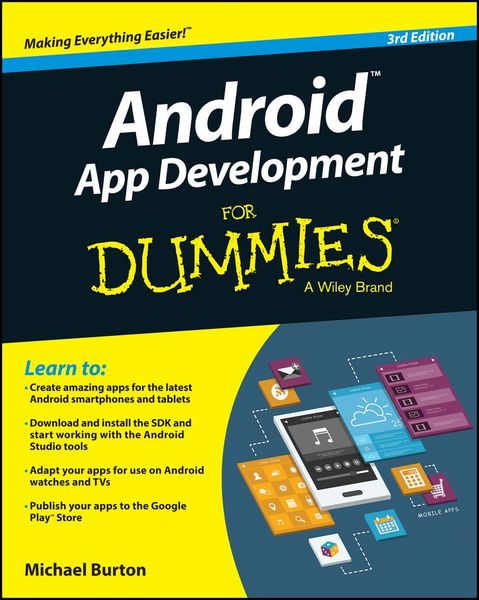
Produktbild: Android App Development For Dummies
- 15%

Android App Development For Dummies 3rd Edition

15% sparen

26,99 € UVP 31,90 €

inkl. gesetzl. MwSt., Versandkostenfrei


Beschreibung

Produktdetails

Einband

Taschenbuch

Erscheinungsdatum

27.03.2015

Verlag

John Wiley & Sons

Seitenzahl

432

Maße (L/B/H)

23,6/19/2,7 cm

Gewicht

574 g

Auflage

3. Auflage

Sprache

Englisch

ISBN

978-1-119-01792-9

Beschreibung

Produktdetails

Einband

Taschenbuch

Erscheinungsdatum

27.03.2015

Verlag

John Wiley & Sons

Seitenzahl

432

Maße (L/B/H)

23,6/19/2,7 cm

Gewicht

574 g

Auflage

3. Auflage

Sprache

Englisch

ISBN

978-1-119-01792-9

Herstelleradresse

Libri GmbH
Europaallee 1
36244 Bad Hersfeld
DE

Email: gpsr@libri.de

Kundinnen und Kunden meinen

0 Bewertungen

Informationen zu Bewertungen

Zur Abgabe einer Bewertung ist eine Anmeldung im Konto notwendig. Die Authentizität der Bewertungen wird von uns nicht überprüft. Wir behalten uns vor, Bewertungstexte, die unseren Richtlinien widersprechen, entsprechend zu kürzen oder zu löschen.

Die Bewertungen sind nach Format, Anzahl Sterne und Datum sortiert.

Verfassen Sie die erste Bewertung zu diesem Artikel

Helfen Sie anderen Kund*innen durch Ihre Meinung

Kundinnen und Kunden meinen

0 Bewertungen filtern

Die Leseprobe wird geladen.
  • Produktbild: Android App Development For Dummies
  • Introduction 1

    About This Book 1

    Conventions Used in This Book 2

    Foolish Assumptions 2

    How This Book Is Organized 3

    Part I: Getting Started with Your First Android Application 3

    Part II: Building and Publishing Your First Android Application 3

    Part III: Creating a Feature-Rich Application 3

    Part IV: Android Is More than Phones 3

    Part V: The Part of Tens 4

    Icons Used in This Book 4

    Beyond the Book 4

    Part I: Getting Started with Your First Android Application 7

    Chapter 1: Developing Spectacular Android Applications 9

    Why Develop for Android? 9

    Android Development Basics 12

    Hardware Tools 20

    Software Tools 22

    Chapter 2: Prepping Your Development Headquarters 25

    Developing the Android Developer Inside You 25

    Assembling Your Toolkit 26

    Tuning Up Your Hardware 30

    Installing and Configuring Your Support Tools 31

    Installing Android Studio 31

    Installing Java 7 33

    Adding SDK Packages 33

    Navigating the Android SDK 34

    Specifying Android Platforms 34

    Using SDK Tools for Everyday Development 35

    Part II: Building and Publishing Your First Application 39

    Chapter 3: Your First Android Project 41

    Starting a New Project in Android Studio 41

    Responding to Errors 45

    Setting Up an Emulator 47

    Running the Hello Android App 49

    Understanding Project Structure 52

    Chapter 4: Creating the User Interface 65

    Creating the Silent Mode Toggle Application 65

    Laying Out the Application 67

    Adding an Image to Your Application 71

    Creating a Launcher Icon for the Application 75

    Previewing the Application in the Visual Designer 77

    Chapter 5: Coding Your Application 79

    Understanding Activities and the Activity Lifecycle 79

    Creating Your First Activity 84

    Working with the Android Framework Classes 88

    Installing Your Application 92

    Material Design 96

    Uh-Oh! (Responding to Errors) 98

    Thinking Beyond the Application Boundaries 103

    Chapter 6: Understanding Android Resources 107

    Understanding Resources 107

    Working with Resources 110

    Different Strokes for Different Folks: Using Resource Qualifier Directories 114

    Chapter 7: Turning Your Application into an App Widget 119

    Working with App Widgets in Android 120

    Working with Intents and Pending Intents 122

    Creating the App Widget 127

    Placing Your Widget on the Home Screen 137

    Chapter 8: Publishing Your App to the Google Play Store 139

    Creating a Distributable File 139

    Creating a Google Play Developer Profile 145

    Pricing Your Application 148

    Getting Screen Shots for Your Application 149

    Uploading Your Application to the Google Play Store 150

    Watching the Number of Installs Soar 153

    Part III: Creating a Feature-Rich Application 155

    Chapter 9: Designing the Tasks Application 157

    Reviewing the Basic Requirements 157

    Creating the Application's Screens 159

    Chapter 10: Creating the Task Detail Page 181

    Creating the TaskEditActivity 181

    Linking the List View to the Edit View 183

    Creating the TaskEditFragment 185

    You Put the Fragment in the Activity and Shake It All Up 193

    Updating the Styles 194

    A Special Bonus 196

    Chapter 11: Going a la Carte with Your Menu 199

    Understanding Options and Context Menus 199

    Creating Your First Menu 200

    Creating a Long-Press Action 207

    Chapter 12: Handling User Input 211

    Creating the User Input Interface 211

    Getting Choosy with Dates and Times 214

    Creating an Alert Dialog 225

    Validating Input 230

    Chapter 13: Getting Persistent with Data Storage 233

    Finding Places to Put Data 233

    Understanding How the SQLite ContentProvider Works 236

    Creating Your Application's SQLite Database 237

    Using ContentProvider URIs 241

    Dealing with CRUD 244

    Implementing the Save Button 250

    Implementing the List View 253

    Reading Data into the Edit Page 261

    Chapter 14: Reminding the User 265

    Seeing Why You Need AlarmManager 266

    Asking the User for Permission 266

    Waking Up a Process with AlarmManager 267

    Updating a Notification 274

    Clearing a Notification 274

    Rebooting Devices 275

    Chapter 15: Working with Android Preferences 279

    Understanding the Android Preferences Framework 280

    Understanding the Preference Fragment Class 280

    Creating Your Preferences Screen 283

    Working with the Preference Fragment Class 285

    Working with Preferences in Your Activities at Runtime 289

    Part IV: Android Is More than Phones 293

    Chapter 16: Developing for Tablets 295

    Considering the Differences between Phones and Tablets 295

    Tweaking the Tasks App for Tablets 296

    Configuring a Tablet Emulator 301

    Creating a New Product Flavor 302

    Creating an AndroidManifest for Phones 303

    Creating an AndroidManifest for Tablets 305

    Making the TaskListAndEditorActivity for Tablets 307

    Building the Tablet App 310

    Adding the App Callbacks 312

    One More Thing 313

    Chapter 17: Supporting Older Versions of Android 315

    Understanding AppCompat 316

    Updating the build File 317

    Adding the Toolbar 318

    Using the AppCompat Theme 319

    Testing Your App 321

    Working with Right-to-Left Languages 323

    Fixing the Add Task Menu 325

    Fixing the Window Options 326

    Using Newer APIs 329

    Using Android Lint 330

    Chapter 18: Wearing the Tasks App 333

    Preparing Your Development Environment 335

    Creating a New Wear App 339

    Publishing the Data from Your Phone 350

    Running the App without Android Studio 355

    Packaging the App 356

    What's Next? 356

    Chapter 19: Look Ma, I'm on TV! 357

    Understanding Guidelines for Building TV Apps 357

    Building and Manifesting Changes 358

    Adding the BrowseActivity 360

    Creating the TV Browse Fragment 361

    Creating the CardPresenter 368

    Running Your App 371

    Adding and Editing Items 372

    Creating Backgrounds 373

    Creating More Filters 375

    Chapter 20: Moving beyond Google 381

    Working around Google Features 381

    Setting Up the Fire SDK 382

    Setting Up Your Fire or Emulator 383

    Publishing to Amazon Appstore for Android 386

    Part V: The Part of Tens 393

    Chapter 21: Ten Free Sample Applications and SDKs 395

    Android Samples 395

    The Google I/O App 396

    K¿9 Mail 396

    GitHub Android App 396

    Facebook SDK for Android 396

    Notepad Tutorial 397

    U+2020 397

    Lollipop Easter Egg 397

    Android Bootstrap 398

    The AOSP 398

    Chapter 22: Ten Tools to Simplify Your Development Life 399

    Android Lint 399

    Android Systrace 399

    RoboGuice and Dagger 400

    Translator Toolkit 400

    Hierarchy Viewer 401

    UI/Application Exerciser Monkey 401

    Git and GitHub 401

    Picasso and OkHttp 402

    Memory Analyzer Tool 402

    Travis¿ci 402

    Index 403