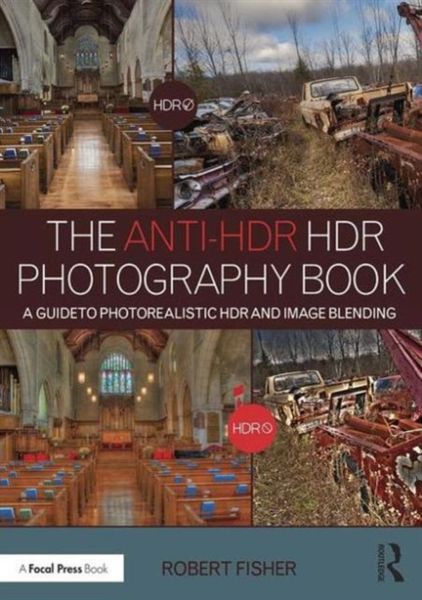
Produktbild: The Anti-Hdr Hdr Photography Book

The Anti-Hdr Hdr Photography Book A Guide to Photorealistic Hdr and Image Blending

53,99 €

inkl. gesetzl. MwSt., Versandkostenfrei


Beschreibung

Produktdetails

Einband

Taschenbuch

Erscheinungsdatum

03.10.2016

Verlag

Taylor and Francis

Seitenzahl

232

Maße (L/B/H)

25,4/17,7/1,7 cm

Gewicht

658 g

Sprache

Englisch

ISBN

978-1-138-96234-7

Beschreibung

Produktdetails

Einband

Taschenbuch

Erscheinungsdatum

03.10.2016

Verlag

Taylor and Francis

Seitenzahl

232

Maße (L/B/H)

25,4/17,7/1,7 cm

Gewicht

658 g

Sprache

Englisch

ISBN

978-1-138-96234-7

Herstelleradresse

Libri GmbH
Europaallee 1
36244 Bad Hersfeld
DE

Email: gpsr@libri.de

Noch keine Bewertungen vorhanden

Verfassen Sie die erste Bewertung zu diesem Artikel

Helfen Sie anderen Kundinnen und Kunden durch Ihre Meinung.

Kundinnen und Kunden meinen

Bewertungen (0)

Die Leseprobe wird geladen.
  • Produktbild: The Anti-Hdr Hdr Photography Book
    1. Gear
    2. Choosing a Camera

      Sensor Size

      Mirrorless or SLR

      Lenses

      To Cable or Not to Cable?

      Do You Have Support?

      Tripod Legs

      Tripod Heads

      Memory Cards

      Filters

    3. The Fundamentals – Exposure & Composition
    4. Exposure and Metering

      Metering

      Exposure & The Triumvirate

      Shutter Speed

      Aperture

      ISO Setting

      Composition

      Rule of Thirds

      Golden Section

      Leading Lines & S-Curves

    5. Time to Take Some Pictures?
    6. Yield Not to Temptation (AKA, Because I Can)

      What to Bracket

      How Many to Bracket

      Using HDR Software

      Manual Blending

      Can I Use My Segmented Meter?

      What About ETTR?

      Do I Have to Bracket?

    7. Organization & Prep – PreBlend Work
    8. Image Organization

      Using Lightroom & Bridge

      Importing Using Lightroom

      Importing Using Bridge

      Backing Up Your Work

      Prepping Your Files for Blending

      Prepping for Blending in HDR Software

      In Lightroom

      In Bridge

    9. Blending Using Photomatix & SNS-HDR
    10. Photomatix

      Tonemapping

      Details Enhancer

      Contrast Optimizer

      Exposure Fusion

      SNS-HDR Pro

      Tonemapping

      Masking

    11. Manual Blending Using Simple Masks
    12. Preparation of Images for Manual Blending

      Basic Panel (Tab in Camera Raw)

      Curves

      HSL/Grayscale

      Blending with Simple Layer Masks

    13. Advanced Blending Using Luminance Masks
    14. Creating Luminance Masks

      Blending with Luminance Masks

    15. Final Tweaking of Merged & Tonemapped Images
    16. Sharpening

      Capture Sharpening

      Creative Sharpening

      Output Sharpening

      Output Sharpening in Lightroom

      Output Sharpening in Photoshop

      Final Editing

    17. Converting to Black & White

    Converting Source Images to Black-and-White

    Converting in Lightroom or Adobe Camera Raw

    Merging in Photomatix

    Blending in SNS-HDR

    Converting to Black-and-White After Blending

    Using Snapshots