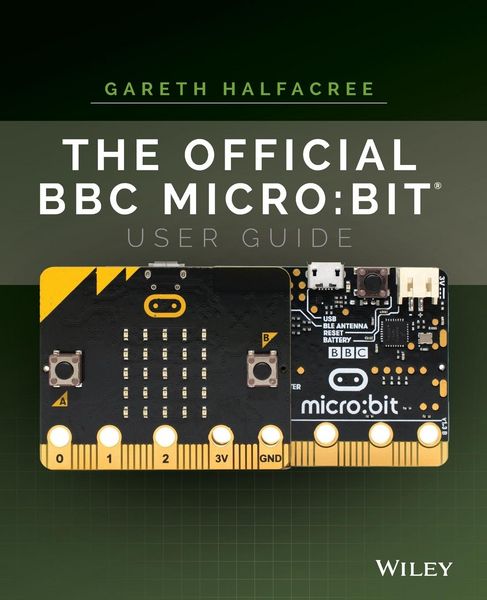
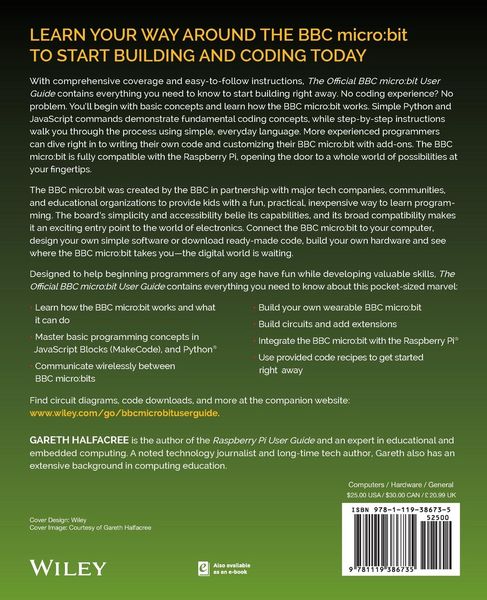
• Produktbild: The Official BBC micro:bit User Guide
  • Produktbild: The Official BBC micro:bit User Guide

The Official BBC micro:bit User Guide bit User Guide P

23,99 €

inkl. gesetzl. MwSt., Versandkostenfrei


Beschreibung

Produktdetails

Einband

Taschenbuch

Erscheinungsdatum

09.10.2017

Verlag

John Wiley & Sons

Seitenzahl

320

Maße (L/B/H)

23,3/18,4/2 cm

Gewicht

520 g

Auflage

1. Auflage

Sprache

Englisch

ISBN

978-1-119-38673-5

Beschreibung

Produktdetails

Einband

Taschenbuch

Erscheinungsdatum

09.10.2017

Verlag

John Wiley & Sons

Seitenzahl

320

Maße (L/B/H)

23,3/18,4/2 cm

Gewicht

520 g

Auflage

1. Auflage

Sprache

Englisch

ISBN

978-1-119-38673-5

Herstelleradresse

Libri GmbH
Europaallee 1
36244 Bad Hersfeld
DE

Email: gpsr@libri.de

Kundinnen und Kunden meinen

0 Bewertungen

Informationen zu Bewertungen

Zur Abgabe einer Bewertung ist eine Anmeldung im Konto notwendig. Die Authentizität der Bewertungen wird von uns nicht überprüft. Wir behalten uns vor, Bewertungstexte, die unseren Richtlinien widersprechen, entsprechend zu kürzen oder zu löschen.

Die Bewertungen sind nach Format, Anzahl Sterne und Datum sortiert.

Verfassen Sie die erste Bewertung zu diesem Artikel

Helfen Sie anderen Kund*innen durch Ihre Meinung

Kundinnen und Kunden meinen

0 Bewertungen filtern

Die Leseprobe wird geladen.
  • Produktbild: The Official BBC micro:bit User Guide
  • Produktbild: The Official BBC micro:bit User Guide
  • Foreword xi

    Introduction xiii

    Part I

    Chapter 1 Meet the BBC micro:bit 3

    A Tour of the Board 3

    Breaking It Down 5

    Display 6

    Buttons 7

    Processor 8

    Radio 9

    Accelerometer 10

    Compass 11

    Input-Output Pins 12

    Micro-USB Port 13

    Battery Connector 14

    Chapter 2 Getting Started with the BBC micro:bit 17

    Handling the BBC micro:bit 17

    Powering the BBC micro:bit 18

    USB Power 18

    Battery Power 20

    Greetings from the BBC micro:bit 23

    Signs of Life 24

    Testing the Buttons 24

    Motion Gaming 24

    Get Coding 25

    Resetting the BBC micro:bit 25

    Chapter 3 Programming the BBC micro:bit 27

    USB Connectivity 27

    Drag-and-Drop 29

    Automatic Flashing 31

    The Code Editor 32

    Downloading Your Program 33

    About Flash Memory 38

    Part II

    Chapter 4 Programming Languages 41

    About Programming Languages 41

    The Three Main BBC micro:bit Languages 42

    JavaScript Blocks 43

    JavaScript 44

    Python 45

    Comparing Programming Languages 46

    Choosing a Programming Language 48

    Other Programming Languages 49

    Chapter 5 JavaScript Blocks 51

    Introducing the JavaScript Blocks Editor 51

    Program 1: 'Hello, World!' 54

    Loops 57

    Program 2: Button Inputs 58

    Multiple Buttons 60

    Program 3: Touch Inputs 61

    Variables 62

    Program 4: The Temperature Sensor 65

    Formatting the Output 67

    Program 5: The Compass Sensor .67

    Program 6: The Accelerometer Sensor 70

    Delays 73

    Reading Raw Accelerometer Data 74

    Program 7: The Fruit Catcher Game 76

    The Setup 77

    The Main Program Loop 78

    Conditional Loops 80

    Conditional Statements 82

    The Control Events 84

    Further Steps 86

    Chapter 6 JavaScript 87

    Introducing the JavaScript Editor 88

    Program 1: 'Hello, World!' 90

    Loops 93

    Program 2: Button Inputs 94

    Multiple Buttons 97

    Program 3: Touch Inputs 98

    Variables 99

    Program 4: The Temperature Sensor 102

    Formatting the Output 104

    Program 5: The Compass Sensor 104

    Program 6: The Accelerometer Sensor 107

    Delays 109

    Reading Raw Accelerometer Data 110

    Program 7: The Fruit Catcher Game 112

    The Setup 113

    The Main Program Loop 115

    The Conditional Loops 116

    The Conditional Statements 117

    The Control Events 120

    Further Steps 123

    Chapter 7 Python 125

    Introducing the Python Editor 126

    Program 1: 'Hello, World!' 128

    Loops 132

    Program 2: Button Inputs 133

    Multiple Buttons 136

    Program 3: Touch Inputs 137

    Variables 138

    Program 4: The Temperature Sensor 141

    Formatting the Output 142

    Program 5: The Compass Sensor 143

    Program 6: The Accelerometer Sensor 145

    Delays 147

    Reading Raw Accelerometer Data 148

    Program 7: The Fruit Catcher Game 150

    The Setup 150

    The Main Program Loop 153

    Conditional Loops 154

    Conditional Statements 155

    Drawing the Sprites 156

    Finishing the Program 157

    Further Steps 160

    Part III

    Chapter 8 The Wireless BBC micro:bit 163

    The BBC micro:bit Radio 163

    Program 1: One-to-One Communication 164

    Program 2: One-to-Many Communication 167

    Program 3: Radio Groups 169

    Testing the Group Feature 171

    Using the BBC micro:bit with a Smartphone or Tablet 173

    Chapter 9 The BBC micro:bit and the Raspberry Pi 175

    About the Raspberry Pi 176

    Connecting the Raspberry Pi to the BBC micro:bit 177

    Reading from the BBC micro:bit 180

    Using the BBC micro:bit Display 186

    Practical Example: A CPU Monitor 189

    Chapter 10 Building Circuits 193

    Electronic Equipment 194

    The Input-Output Pins 196

    The Large Pins 197

    The Small Pins 199

    Serial Peripheral Interface (SPI) 201

    Inter-Integrated Circuit (I2C) 201

    Universal Asynchronous Receiver/Transmitter (UART) 201

    Your First Circuits 202

    Reading from a Button Input 202

    Reading Resistor Colour Codes 205

    Writing to an LED Output 207

    Fading an LED via PWM 211

    Reading an Analogue Input 213

    Chapter 11 Extending the BBC micro:bit 217

    Extending via Breakout Boards 217

    Kitronik Edge Connector Breakout Board 218

    ScienceScope Micro:bit Breakout Board 219

    Proto-Pic Bread:Bit 220

    Proto-Pic Exhi:Bit 220

    Robotics and the BBC micro:bit 222

    Kitronik Line-Following Buggy 222

    Kitronik Motor Driver Board 223

    Technology Will Save Us Micro:Bot 224

    4tronix Bit:Bot 225

    BinaryBots 226

    Other BBC micro:bit Add-Ons 227

    Kitronik Mi:Power 227

    Proto-Pic Micro:Pixel Board 228

    Proto-Pic Simon:Says Board 229

    4tronix Bit:2:Pi Board 230

    Kitronik Mi:Pro Protector and Mi:Power Cases 231

    Chapter 12 The Wearable BBC micro:bit 233

    Advantages of the Wearable BBC micro:bit 234

    Conductive Thread 235

    Using Conductive Thread 237

    The Rain-Sensing Hat 241

    Building the Hat 242

    Mounting the BBC micro:bit 244

    The Rain-Sensing Program 245

    Battery Power 246

    Chapter 13 Additional Resources 249

    The Micro:bit Educational Foundation 249

    Official Teaching Resources 251

    Third-Party Teaching Resources 252

    The Institution of Engineering and Technology 252

    Computing At School 253

    Micro:bit for Primary Schools 253

    TES Magazine 255

    Code Clubs 256

    Part IV

    Appendix A JavaScript Blocks Recipes 259

    Appendix B JavaScript Recipes 267

    Appendix C Python Recipes 275

    Appendix D Pin-Out Listing 285

    Index 289