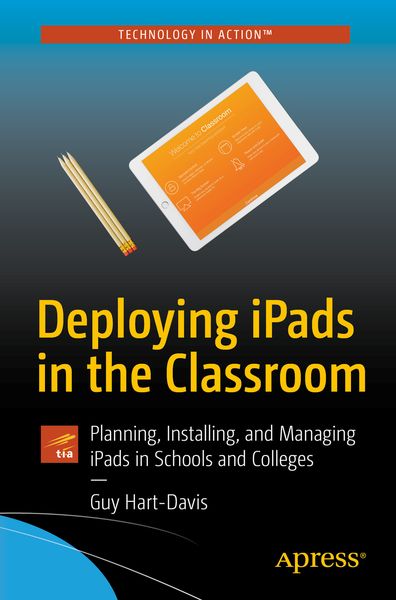

• Produktbild: Deploying iPads in the Classroom
  • Produktbild: Deploying iPads in the Classroom

Deploying iPads in the Classroom Planning, Installing, and Managing iPads in Schools and Colleges

26,99 €

inkl. gesetzl. MwSt., Versandkostenfrei


Beschreibung

Produktdetails

Einband

Taschenbuch

Erscheinungsdatum

07.11.2017

Abbildungen

XXIV, 392 illus., 391 illus. in color., schwarz-weiss Illustrationen, farbige Illustrationen

Verlag

Apress

Seitenzahl

552

Maße (L/B/H)

23,5/15,5/3 cm

Gewicht

867 g

Auflage

1st ed.

Sprache

Englisch

ISBN

978-1-4842-2927-9

Beschreibung

Produktdetails

Einband

Taschenbuch

Erscheinungsdatum

07.11.2017

Abbildungen

XXIV, 392 illus., 391 illus. in color., schwarz-weiss Illustrationen, farbige Illustrationen

Verlag

Apress

Seitenzahl

552

Maße (L/B/H)

23,5/15,5/3 cm

Gewicht

867 g

Auflage

1st ed.

Sprache

Englisch

ISBN

978-1-4842-2927-9

Herstelleradresse

Libri GmbH
Europaallee 1
36244 Bad Hersfeld
DE

Email: gpsr@libri.de

Noch keine Bewertungen vorhanden

Verfassen Sie die erste Bewertung zu diesem Artikel

Helfen Sie anderen Kundinnen und Kunden durch Ihre Meinung.

Kundinnen und Kunden meinen

Bewertungen (0)

  • Produktbild: Deploying iPads in the Classroom
  • Produktbild: Deploying iPads in the Classroom
  • Chapter 1: Planning Your Classroom Deployment of iPad (34 pages)

    Chapter Goal: The reader learns what the iPad can do and what types of usage it is suitable for in the classroom; analyzes her needs for the classroom; and plans the deployment.

    Understanding iPad Capabilities

    Comparing iPad to Laptops or Desktops

    Analyzing Your Needs and Making a Plan

    Chapter 2: Choosing iPads and Accessories (30 pages)

    Chapter Goal: The reader meets the current and recent iPad models and determines which iPads to get for the staff and students, plus accessories (such as cases, keyboards, and mounts). For iPads that will be kept in the classroom, the reader chooses a suitable storage location, such as a secure cart or closet.

    Understanding the iPad Models

    Choosing Power Sources for Your iPads

    Choosing and Using Cases

    Choosing and Using iPad Mounts

    Choosing Keyboards Where Needed

    Choosing Storage Locations for iPads

    Chapter 3: Essential iPad Skills for Administrators and Teachers (50–60 pages)

    Chapter Goal: In this chapter, the reader learns essential skills for using the iPad, starting with the basics but moving on rapidly to the advanced features and the  settings she will need to use the iPad effectively in the classroom. The reader learns to configure an iPad manually for a teacher or a student to use.

    Controlling Startup, Shutdown, and Restart

    Navigating the Interface

    Using AirPlay Mirroring

    Transferring Files Using AirDrop

    Understanding Your Options for Customizing iPads

    Customizing the Home Screens Manually

    Choosing Key Settings

    Updating the Operating System

    Installing and Removing Apps

    Managing Local Storage and iCloud Storage

    Chapter 4: Managing iPads with Apple Configurator (60–80 pages)

    Chapter Goal: In this chapter, the reader downloads and installs the Apple Configurator app and uses it to configure iPads automatically. Coverage includes working with configuration profiles and installing, managing, and removing apps.

    Getting Apple Configurator

    Working with Configuration Profiles

    Buying iPad Apps in Volume

    Installing and Removing Apps Using Apple Configurator

    Managing Apps Using Apple Configurator

    Chapter 5: Managing iPads with Apple School Manager (30 pages)

    Chapter Goal: In this chapter, the reader gets up to speed with Apple School Manager, Apple’s turnkey service for managing Macs and iOS devices in schools and similar institutions. The chapter briefly explains the essential moves for Apple School Manager but doesn’t give full details, because most of our readers are less likely to use Apple School Manager.

    Understanding Apple School Manager

    Signing Up for Apple School Manager

    Enrolling Devices in Apple School Manager

    Purchasing Content

    Creating and Managing Accounts

    Using Managed Apple IDs for Education

    Chapter 6: Managing iPads with Mobile Device Management Tools (30 pages)

    Chapter Goal: In this chapter, the reader learns about Mobile Device Management (MDM) tools that can manage iPads. The chapter provides a brief overview of the main MDM tools available in case the reader needs to get one, and uses Meraki Systems Manager as an example. However, it is likely that many schools will already have an MDM tool deployed—so the reader will use that tool. Most iPad-compatible MDM tools work in largely similar ways because they connect through Apple’s MDM framework, and Meraki Systems Manager provides a good example.

    Understanding Mobile Device Management Options for iPad

    Managing iPads with Meraki Systems Manager

    Chapter 7: Accessing Files, Printers, and Other Resources (40 pages)

    Chapter Goal: In this chapter, the reader learns how to connect the iPads to local storage and online storage for accessing existing files and creating new files, how to connect the iPads to printers using AirPrint and other technologies, and how to connect to other school resources.

    Accessing Files on Local Storage

    Accessing Files on Online Storage

    Connecting to Printers

    Connecting to Other Resources

    Chapter 8: Controlling a Lesson with Classroom for iPad (40 pages)

    Chapter Goal: In this chapter, the reader installs Apple’s Classroom for iPad app, configures it as needed, and uses it to manage her classroom.

    Downloading and Installing Classroom for iPad

    Configuring Classroom for iPad

    Managing Students and iPads with Classroom for iPad

    Chapter 9: Troubleshooting iPad in the Classroom (40 pages)

    Chapter Goal: The reader learns how to recover a misconfigured or corrupted iPad and how to troubleshoot a wide range of common issues that occur with iPads.

    Locating a Missing iPad

    Resetting an iPad to Cure Minor Ills

    Reinstalling iOS and Configuration Profiles

    Troubleshooting Apps

    Troubleshooting Network Connections

    Troubleshooting Bluetooth Issues

    Troubleshooting Display Issues

    Troubleshooting Audio Issues

    Troubleshooting Sync Issues

    Appendix: iPad Information Resources for Teachers and Administrators (8 pages)