• Produktbild: Practical R 4
  • Produktbild: Practical R 4

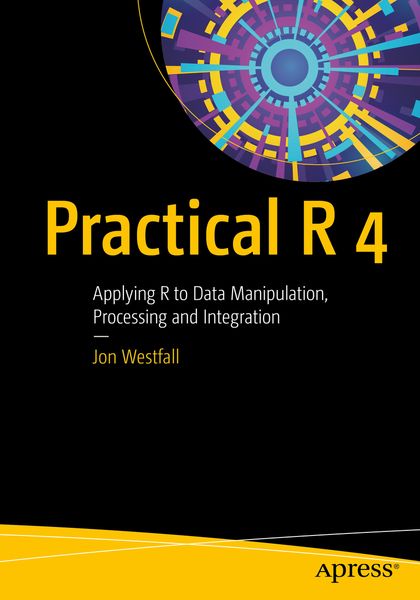
Practical R 4 Applying R to Data Manipulation, Processing and Integration

57,99 €

inkl. gesetzl. MwSt., Versandkostenfrei


Beschreibung

Produktdetails

Einband

Taschenbuch

Erscheinungsdatum

01.07.2020

Abbildungen

267 Illustrations, color 12 Illustrations, black and white

Verlag

Apress

Seitenzahl

318

Maße (L/B/H)

25,4/17,8/1,7 cm

Gewicht

640 g

Auflage

1st ed.

Sprache

Englisch

ISBN

978-1-4842-5945-0

Beschreibung

Produktdetails

Einband

Taschenbuch

Erscheinungsdatum

01.07.2020

Abbildungen

267 Illustrations, color 12 Illustrations, black and white

Verlag

Apress

Seitenzahl

318

Maße (L/B/H)

25,4/17,8/1,7 cm

Gewicht

640 g

Auflage

1st ed.

Sprache

Englisch

ISBN

978-1-4842-5945-0

Herstelleradresse

Libri GmbH
Europaallee 1
36244 Bad Hersfeld
DE

Email: gpsr@libri.de

Noch keine Bewertungen vorhanden

Verfassen Sie die erste Bewertung zu diesem Artikel

Helfen Sie anderen Kundinnen und Kunden durch Ihre Meinung.

Kundinnen und Kunden meinen

Bewertungen (0)

  • Produktbild: Practical R 4
  • Produktbild: Practical R 4
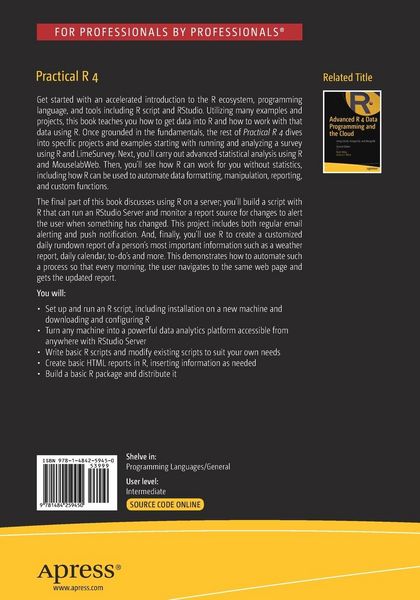
  • Chapter 1: Getting Up and Running with RChapter 2: Getting Data into RChapter 3: Project 1: Launching, Analyzing, and Reporting a Survey using R and LimeSurveyChapter 4: Project 2: Advanced Statistical Analysis using R and Mouselab WebChapter 5: R in Everyday LifeChapter 6: Project 3: The R Form MailerChapter 7: Project 4: The R Powered PresentationChapter 8: R AnywhereChapter 9: Project 5: The Change Alert!Chapter 10: Project 6: The R Personal Assistant

    DETAILED VIEW BELOW

    Chapter 1: Getting Up and Running with RChapter Goal:• Explain what R is, and what R isn’t• Explain the R landscape – it’s open source nature and the various ways people use it.• Explain how R is installed, what types of systems it runs on, and how the user interacts with it.• Explain the basic R script, running basic commands in R (e.g., a “Hello World”) and basic computations.

    Chapter 2: Feed the Beast: Getting Data into R• Explain the different types of data that R can work with, and how that data is stored.• Explain the basics of connecting R to flat files, database files, database servers, and published data on the internet.• Give examples for downloading data directly from Google Sheets, websites, and more directly from R. • Give examples of basic data scraping with R.• Explain writing of data objects to native RData format as well as other formats for interchangeable use.

    Chapter 3: Recipe 1: Launching, Analyzing, and Reporting a Survey using R and LimeSurvey• Explain a real-world scenario: A survey project applicable to market research.• Discuss an open-source tool, LimeSurvey, that can be used to create a survey, collect responses, and download those responses into R.• Bring the data into R and run basic summary statistics on the data.• Take those analyses farther into inferential statistics (Linear Regression).Chapter 4: Recipe 2: Advanced Statistical Analysis using R and Mouselab Web• A deeper data scenario than Chapter 3 discussing how Mouselab Web (an open source tool) can be used to track how people view products and services and make decisions.• Introduces advanced statistical design using Linear Mixed-methods regressions.• Also introduces the idea of R packages, and the perils of using packages (e.g., concerns over future-proofing). This chapter is a very deep concept that will be presented accessibly, so that readers learn the takeaways regarding how R works and how to futureproof your R projects, but also get a bit of a unique project applicable to psychology and market research.

    Chapter 5: R in Everyday Life• Perhaps you’re not a statistician, you just want R to be useful to you in your job. This chapter discusses how R can be used to automate…o Data formattingo Data manipulationo Data reporting• This chapter also talks about how users can write custom functions in R to speed up their workflows.• Finally this chapter talks about how to export results from R into common desktop software such as Microsoft Office.

    Chapter 6: Recipe 3: The R Form Mailer• Mail Merge is a great tool in Microsoft Office, but it’s entirely graphically driven – point and click, drag and drop. What if you could script it?• This recipe discusses scripting a Mail Merge type activity – sending custom emails with report information directly from R through an email server. • Along the way we learn a bit more about data manipulation by taking long format data (sales figures) and calculating salesmen commissions, then providing a report to each salesperson in their email.

    Chapter 7: Recipe 4: The R Powered Presentation• Discusses a real-world scenario where a presentation must be given that includes real-time data collection.• Participants during the presentation can take a quick survey (Using Google Forms), which will then be analyzed during the presentation and reported by the speaker.• Discusses how R can create and export results nearly instantly, right on a speaker’s laptop during the presentation.

    Chapter 8: R Anywhere• Final part of the book discusses using R on a server for always-on analytics, using open source software (RStudio Server). • The computing requirements for such a system, and how one sets it up either on a spare machine or on a dedicated Virtual Private Server.• Potential uses for such a setup, from analysis from devices that don’t support R (e.g., an iPad), or analysis for long-running tasks.

    Chapter 9: Recipe 5: The Change Alert!• Often work life requires one to check reports or other items to see if something has changed – perhaps a new person has been added to a team, or a new student added to a class.• This recipe demonstrates how to build a script with R that can run on an RStudio Server and monitor a report source for changes, and alert the user when something has changed.• This recipe demonstrates not only regular email alerting, but also push notification alerting through the service Pushover, an ultra low-cost ($4.99, one time) option for customized push notifications.

    Chapter 10: Recipe 6: The R Personal Assistant• Demonstrates how to use R to create a customized daily rundown report of a person’s most important information, such as the weather report, daily calendar, to-dos, and more.• Demonstrates how to automate such a process so that every morning the user navigates to the same webpage and gets the updated report. • Demonstrates how to build a simple skill in Amazon Alexa that will read the report daily as the user’s command.