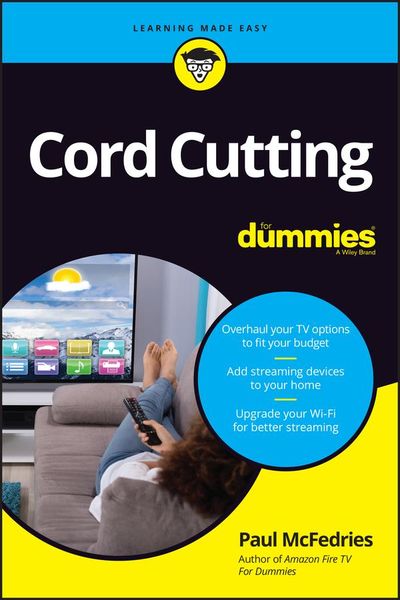
Produktbild: Cord Cutting for Dummies

Cord Cutting for Dummies

16,99 €

inkl. gesetzl. MwSt., Versandkostenfrei


Beschreibung

Produktdetails

Einband

Taschenbuch

Erscheinungsdatum

02.06.2021

Verlag

John Wiley & Sons

Seitenzahl

224

Maße (L/B/H)

22,5/15,1/1,5 cm

Gewicht

260 g

Auflage

1. Auflage

Sprache

Englisch

ISBN

978-1-119-80093-4

Beschreibung

Produktdetails

Einband

Taschenbuch

Erscheinungsdatum

02.06.2021

Verlag

John Wiley & Sons

Seitenzahl

224

Maße (L/B/H)

22,5/15,1/1,5 cm

Gewicht

260 g

Auflage

1. Auflage

Sprache

Englisch

ISBN

978-1-119-80093-4

Herstelleradresse

Libri GmbH
Europaallee 1
36244 Bad Hersfeld
DE

Email: gpsr@libri.de

Kundinnen und Kunden meinen

0 Bewertungen

Informationen zu Bewertungen

Zur Abgabe einer Bewertung ist eine Anmeldung im Konto notwendig. Die Authentizität der Bewertungen wird von uns nicht überprüft. Wir behalten uns vor, Bewertungstexte, die unseren Richtlinien widersprechen, entsprechend zu kürzen oder zu löschen.

Die Bewertungen sind nach Format, Anzahl Sterne und Datum sortiert.

Verfassen Sie die erste Bewertung zu diesem Artikel

Helfen Sie anderen Kund*innen durch Ihre Meinung

Kundinnen und Kunden meinen

0 Bewertungen filtern

Die Leseprobe wird geladen.
  • Produktbild: Cord Cutting for Dummies
  • Introduction 1

    About This Book 1

    Foolish Assumptions 2

    Icons Used in This Book 3

    Beyond the Book 3

    Where to Go from Here 4

    Part 1: Some Cord-Cutting Basics 5

    Chapter 1: Why Cut the Cord? 7

    What's So Bad about Cable? (Let Me Count the Ways) 8

    Cable TV is expensive 8

    You still get bombarded by commercials 9

    You probably watch only a teensy fraction of what you pay for 9

    Bundles are (usually) bad 9

    Long-term (read: loyal) customers pay more, not less 10

    You're getting nickeled-and-dimed 10

    You're dealing with a near-monopoly 11

    Customer service is pretty much non-existent 12

    Technical support is a pain in the you-know-what 12

    Those darned contracts! 13

    Some Reasons Why Cutting the Cord Might Not Be for You 13

    Your savings might be less than you hoped 13

    You might still have to deal with channel bundles 14

    You might still see commercials 14

    TV watching will become more complex for you 15

    You'll use way more Internet bandwidth - and perhaps pay for the privilege 15

    Your monthly Internet bill will probably go up 16

    The quality of the streaming video might be poor 16

    You might have to wait a long time to watch new shows 16

    You might never see some new shows 17

    The Benefits of Severing Your Connection to the Cable Company 17

    You save money 18

    You'll probably be happier in the long run 18

    You unshackle your TV 18

    You unshackle yourself 19

    You're in control 19

    Surveying the Cord-Free Landscape 20

    Chapter 2: Snip, Snip Your 7-Step Plan to Going Cord-Free 23

    Step 1: Deciding What You Want to Watch 24

    Option A: Going with just your "must see" TV shows 24

    Option B: Going with just a few streaming services 25

    Option C: Going with OTA live TV 26

    Step 2: Figuring Out the Equipment You Need 26

    Step 3: Making a Streaming Services Budget 27

    Step 4: Trying Out Lots of Streaming Services - for Free! 29

    Step 5: Subscribing to Streaming Services 30

    Step 6: Doing a Cord-Cutting Test Drive 31

    Step 7: Cutting the Cord - Woo-Hoo! 32

    Check your contract 33

    Check your bandwidth history 33

    Gather everything you need 33

    Get ready mentally 34

    Know the process 34

    Return all equipment 36

    Part 2: Cord Cutting Made Easy with Over-the-Air TV 37

    Chapter 3: Understanding Over-the-Air TV 39

    OTA? OTT? Live TV? What on Earth Is Everyone Talking About? 40

    What is over-the-air TV? 41

    The pros and cons of over-the-air TV 42

    How Over-the-Air TV Works 45

    The television station 45

    The transmission tower 46

    The antenna and tuner 46

    What Channels Can You Access? 48

    Understanding the factors that affect signal strength 49

    Checking the FCC's digital TV reception maps 50

    Using TV Fool's TV signal locator 52

    Real versus virtual channels 54

    Chapter 4: Choosing and Setting Up OTA Hardware 57

    What Equipment Do You Need? 58

    Choosing an OTA Digital Antenna 62

    Antenna styles 62

    Determine the range 63

    Indoor or outdoor? 63

    Amplified or not? 64

    Unidirectional or multidirectional? 66

    Look for VHF/UHF support 67

    Watch out for bogus or exaggerated claims 68

    Installing Your Antenna 70

    Installing an indoor antenna 70

    Installing an outdoor antenna 71

    Connecting Your Antenna 73

    Making coaxial connections 73

    Connecting an antenna to one TV 74

    Connecting an antenna to multiple TVs 75

    Connecting an antenna to your computer 77

    Connecting an antenna to your mobile device 78

    Connecting an antenna to your Wi-Fi network 78

    Improving antenna reception 79

    Scanning for OTA Channels 80

    Chapter 5: Watching Over-the-Air and Live TV 83

    Watching Over-the-Air TV Using a Regular TV 84

    Changing the TV input source 84

    Watching over-the-air TV 86

    Where's the TV guide? 87

    Recording over-the-air TV 87

    Watching Over-the-Air TV Using a Smart TV 91

    Watching Over-the-Air TV Using a Streaming Device 93

    Look, Ma, No Antenna! Streaming Live TV 93

    Part 3: Cable-Free Viewing with Streaming Services 97

    Chapter 6: The Hardware You Need for Streaming 99

    Let's Talk TVs 100

    Screen size 100

    Resolution 101

    HDMI ports 102

    Streamers: Set-Top Box or Dongle? 103

    Set-top box streamers 104

    Dongle streamers 105

    Set-top box streamer versus dongle streamer 105

    What to Look for in a Streaming Media Player 106

    Smart TVs for Streaming Media 109

    Setting Up Your Hardware 111

    Connecting a set-top player 111

    Connecting a streaming stick 113

    Configuring your streaming player 115

    Chapter 7: Getting Your Internet Access Ready for Streaming 117

    Investing in a New Router 118

    Extending Your Wi-Fi Network 121

    How Much Bandwidth Is Enough? 122

    Taking a look at streaming media bandwidth usage 123

    Going on a bandwidth diet 124

    Understanding How Streaming Works 126

    The streaming process 126

    More about buffering 127

    I Feel the Need - the Need for Speed! 129

    Why does speed matter? 129

    How fast is fast enough? 130

    Testing your Internet speed 131

    Chapter 8: Checking Out Free Streaming Services 135

    Is There Such a Thing as a Free Lunch? 136

    What to Expect from Free Streaming Services 137

    Some Free Streaming Services to Check Out 138

    Crackle 138

    Haystack News 139

    Hoopla 139

    IMDb TV 141

    Kanopy 142

    PBS Video 142

    Peacock 142

    Roku Channel Store 143

    Tubi TV 144

    Xumo 145

    Free streaming apps for kids 145

    A few more freebies 146

    Chapter 9: Checking Out Paid Streaming Services 149

    What to Expect from Paid Streaming Services 150

    What Types of Paid Streaming Services Are Available? 151

    On-Demand Streaming Services .152

    Amazon Prime Video 152

    Apple TV+ 153

    Hulu 155

    Netflix 156

    Paramount+ 157

    Peacock 158

    Cable-Replacement Services 160

    fuboTV 160

    Hulu + Live TV 161

    Sling TV 162

    YouTube TV 163

    Checking Out Premium Channels 164

    Part 4: The Part of Tens 167

    Chapter 10: Ten Ways to Save Money in a Cord-Free World 169

    Get the Smallest OTA Antenna Possible 170

    Don't Get Too Much Internet 171

    Take Advantage of Skinny Bundles 172

    Don't Commit Until You're Amazed at Your Luck 173

    Watch New Shows on the Cheap 174

    Subscribe Strategically 175

    Keep an Eye on Your Subscriptions 176

    Get a Credit Card Offering Streaming Cash Back 177

    Give Up the Premium Subscription Plan 177

    Save on Sports .178

    Chapter 11: Ten Tips for Troubleshooting Streaming Woes 179

    Check Your Streaming Device's Download Speed 180

    Restart Your Streaming Device 183

    Check Your Streaming Device for Updates 184

    Reset Your Streaming Device 185

    Check Your Wi-Fi Connection Speed 186

    Reset Your Wi-Fi 188

    Make Some Wi-Fi Adjustments 188

    Troubleshoot an Unresponsive Streaming Device 189

    Troubleshoot a Blank TV Screen 190

    Upgrade Your Hardware 191

    Glossary 193

    Index 203