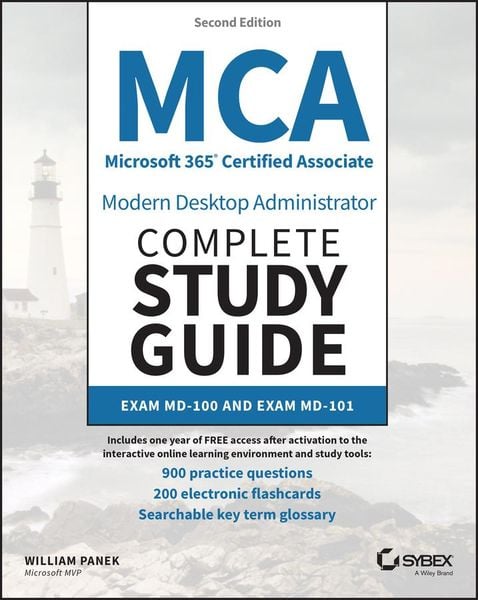
Produktbild: MCA Microsoft 365 Certified Associate Modern Desktop Administrator Complete Study Guide with 900 Practice Test Questions

MCA Microsoft 365 Certified Associate Modern Desktop Administrator Complete Study Guide with 900 Practice Test Questions Exam MD-100 and Exam MD-101

Aus der Reihe Sybex Study Guide

79,99 €

inkl. gesetzl. MwSt., Versandkostenfrei


Beschreibung

Produktdetails

Einband

Taschenbuch

Erscheinungsdatum

25.01.2023

Verlag

John Wiley & Sons Inc

Seitenzahl

976

Maße (L/B/H)

23,6/19/6 cm

Gewicht

1768 g

Auflage

2nd edition

Sprache

Englisch

ISBN

978-1-119-98464-1

Beschreibung

Produktdetails

Einband

Taschenbuch

Erscheinungsdatum

25.01.2023

Verlag

John Wiley & Sons Inc

Seitenzahl

976

Maße (L/B/H)

23,6/19/6 cm

Gewicht

1768 g

Auflage

2nd edition

Sprache

Englisch

ISBN

978-1-119-98464-1

Herstelleradresse

Libri GmbH
Europaallee 1
36244 Bad Hersfeld
DE

Email: GPSR Kontakt

Noch keine Bewertungen vorhanden

Verfassen Sie die erste Bewertung zu diesem Artikel

Helfen Sie anderen Kundinnen und Kunden durch Ihre Meinung.

Kundinnen und Kunden meinen

Bewertungen (0)

Die Leseprobe wird geladen.
  • Produktbild: MCA Microsoft 365 Certified Associate Modern Desktop Administrator Complete Study Guide with 900 Practice Test Questions
  • Introduction xxix
     
    Assessment Test - MD- 100 xliii
     
    Assessment Test - MD- 101 xlix
     
    Answers to Assessment Test - MD- 100 lv
     
    Answers to Assessment Test - MD- 101 lviii
     
    Part I Exam MD-100 1
     
    Chapter 1 Windows Client Installation 3
     
    Understanding the Basics 4
     
    Windows 10/11 Features 9
     
    Windows 10 vs. Windows 11 11
     
    What Has Been Changed in Windows 11? 12
     
    Windows 10 and 11 Architecture 13
     
    Preparing to Install Windows 14
     
    Windows Home 15
     
    Windows Pro 15
     
    Windows Enterprise 16
     
    Windows 10 Enterprise E3 and E 5 17
     
    Windows Client Requirements 18
     
    New Installation or Upgrade? 20
     
    Disk Partitioning 24
     
    Language and Region Pack 25
     
    Installing Windows 10 25
     
    Performing a Clean Installation of Windows 10 26
     
    Performing an Upgrade to Windows 10 from Windows 8.1 36
     
    Installing Windows 11 41
     
    Performing a Clean Installation of Windows 11 42
     
    Performing an Upgrade to Windows 11
     
    from Windows 10 43
     
    Troubleshooting Installation Problems 43
     
    Supporting Multiple- Boot Options 45
     
    Using Windows Activation 47
     
    Understanding Automated Deployment Options 48
     
    An Overview of the Microsoft Deployment Toolkit 48
     
    An Overview of Unattended Installation 54
     
    An Overview of Windows Deployment Services 56
     
    An Overview of the System Preparation Tool and Disk Imaging 59
     
    Overview of the Windows Assessment and Deployment Kit 63
     
    Windows Configuration Designer 64
     
    Summary of Windows Client Deployment Options 64
     
    Deploying Unattended Installations 66
     
    Using the System Preparation Tool to Prepare an Installation for Imaging 67
     
    Using Windows Configuration Designer to Create a Disk Image 69
     
    Using the Deployment Image Servicing and Management Tool 71
     
    Using Windows System Image Manager to Create Answer Files 73
     
    Windows Update 74
     
    The Update Process 75
     
    Using Windows Update 76
     
    Using Windows Update for Business 78
     
    Delivery Optimization 81
     
    Using Command- Line Options 83
     
    Installing Microsoft Store Updates 83
     
    Summary 85
     
    Exam Essentials 86
     
    Video Resources 87
     
    Review Questions 88
     
    Chapter 2 Configuring Users 93
     
    Understanding User Accounts 94
     
    Account Types 95
     
    Built- In Accounts 96
     
    Local and Domain User Accounts 97
     
    Working with User Accounts 98
     
    Using the Local Users and Groups Utility 98
     
    Using the User Accounts Option in Control Panel 101
     
    Creating New Users 102
     
    Disabling User Accounts 107
     
    Deleting User Accounts 108
     
    Renaming User Accounts 109
     
    Changing a User's Password 110
     
    Using Windows Hello, Pictures, and Biometrics 111
     
    Using Device Guard 112
     
    Understanding Windows Defender Credential Guard 114
     
    Configuring Device Health Attestation 116
     
    Managing User Properties 117
     
    Managing User Group Membership 117
     
    Setting Up User Profiles, Logon Scripts, and Home Folders 119
     
    Troubleshooting User Account Authentication 126
     
    Managing and Creating Groups 127
     
    Using Built- In Groups 127
     
    Creating Groups 131
     
    Managing Group Membership 133
     
    Deleting Groups 135
     
    Managing Security Using GPOs and LGPOs 135
     
    Understanding the GPO and LGPO Basics 135
     
    Using the Group Policy Result Tool 137