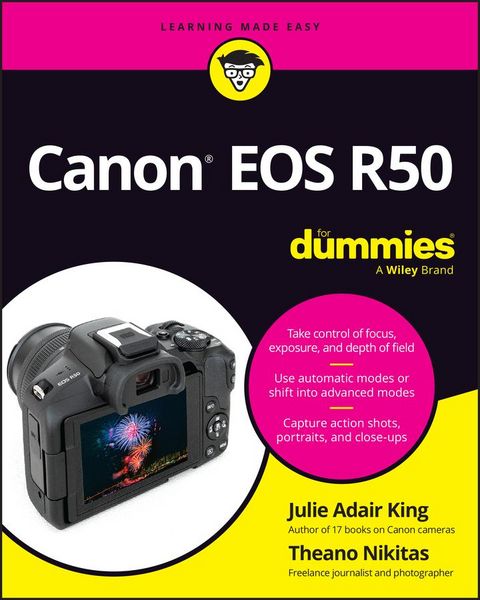
Produktbild: Canon EOS R50 For Dummies

Canon EOS R50 For Dummies

31,99 €

inkl. gesetzl. MwSt., Versandkostenfrei


Beschreibung

Produktdetails

Einband

Taschenbuch

Erscheinungsdatum

02.11.2023

Verlag

John Wiley & Sons

Seitenzahl

352

Maße (L/B/H)

23/18,2/1,6 cm

Gewicht

700 g

Auflage

1. Auflage

Sprache

Englisch

ISBN

978-1-394-20956-9

Beschreibung

Produktdetails

Einband

Taschenbuch

Erscheinungsdatum

02.11.2023

Verlag

John Wiley & Sons

Seitenzahl

352

Maße (L/B/H)

23/18,2/1,6 cm

Gewicht

700 g

Auflage

1. Auflage

Sprache

Englisch

ISBN

978-1-394-20956-9

EU-Ansprechpartner

Zeitfracht Medien GmbH
Ferdinand-Jühlke-Straße 7
99095 Erfurt
DE
produktsicherheit@zeitfracht.de

Herstelleradresse

Wiley & Sons
1 Oldlands Way
PO22 9NQ Bognor Regis
GB
trade@wiley.com

Kundinnen und Kunden meinen

0 Bewertungen

Informationen zu Bewertungen

Zur Abgabe einer Bewertung ist eine Anmeldung im Konto notwendig. Die Authentizität der Bewertungen wird von uns nicht überprüft. Wir behalten uns vor, Bewertungstexte, die unseren Richtlinien widersprechen, entsprechend zu kürzen oder zu löschen.

Die Bewertungen sind nach Format, Anzahl Sterne und Datum sortiert.

Verfassen Sie die erste Bewertung zu diesem Artikel

Helfen Sie anderen Kund*innen durch Ihre Meinung

Kundinnen und Kunden meinen

0 Bewertungen filtern

Die Leseprobe wird geladen.
  • Produktbild: Canon EOS R50 For Dummies
  • Introduction 1

    About This Book 1

    Icons Used in This Book 2

    Beyond the Book 2

    Where to Go From Here 2

    Part 1: Fast Track to Super Snaps 3

    Chapter 1: Getting Up and Running 5

    Preparing the Camera for Initial Use 5

    Using the Touchscreen 11

    Exploring External Camera Features 13

    Topside controls 14

    Back-of-the-body controls 16

    And the rest 19

    Ordering from Camera Menus 21

    Looking at Display Options 23

    Choosing which displays are active 23

    Changing the data style 25

    Decoding critical onscreen data 27

    Disabling and editing displays 28

    Customizing other display features 30

    Disabling Pop-Ups and Help Text 34

    Using Quick Control Mode 36

    Familiarizing Yourself with the Lens 39

    Reviewing a Few Final Setup Options 42

    Setup Menu 1 43

    Setup Menu 2 45

    Setup Menu 5 45

    A few other critical options before you go 46

    Chapter 2: Choosing Basic Picture Settings 49

    Choosing a Shooting Mode 50

    Basic Zone shooting modes 50

    Creative Zone modes (P, Tv, Av, and M) 51

    Changing the Drive Mode 52

    Understanding the Image Quality Setting 56

    Considering resolution: L, M, S1, or S2? 56

    Understanding file type 60

    Adjusting the Image Quality setting 66

    Setting the Photo Aspect Ratio 70

    Adding Flash 71

    Setting the flash to fire (or not) 74

    Adding Red-Eye Reduction 79

    Reviewing Advanced Flash Options 79

    Adjusting flash output with Flash Exposure Compensation 79

    Locking the flash exposure 82

    Investigating other flash options 84

    Chapter 3: Taking Great Pictures, Automatically 89

    Using Scene Intelligent Auto Mode (A+) 90

    Taking a picture in A+ mode 90

    Exploring A+ Assist features 94

    Adjusting results with Creative Assist 96

    Discovering SCN (Scene) Modes 101

    Accessing Scene modes 102

    Reviewing the scene modes 103

    Adjusting camera settings in SCN mode 110

    Part 2: Taking Creative Control 111

    Chapter 4: Taking Charge of Exposure 113

    Introducing the Exposure Trio: Aperture, Shutter Speed, and ISO 114

    Aperture affects depth of field 116

    Shutter speed affects motion blur 117

    ISO affects image noise 119

    Doing the exposure balancing act 121

    Stepping Up to Advanced Shooting Modes (P, Tv, Av, and M) 123

    Monitoring Exposure Settings 124

    Choosing an Exposure Metering Mode 127

    Setting ISO, Aperture, and Shutter Speed 130

    Controlling ISO 130

    Adjusting aperture and shutter speed 134

    Exploring Exposure-Correction Tools 136

    Overriding autoexposure results with Exposure Compensation 136

    Improving high-contrast shots with Highlight Tone Priority 142

    Trying Auto Lighting Optimizer 144

    Looking at a few other exposure solutions 147

    Locking Autoexposure Settings 151

    Bracketing Exposures Automatically 152

    HDR Mode shooting 153

    Using Autoexposure Bracketing (AEB) 154

    Chapter 5: Controlling Focus and Depth of Field 159

    Choosing Auto or Manual Focus 160

    Disabling the Touch Shutter 162

    Mastering the Autofocus System 164

    AF Operation: Focus lock or continuous focus adjustment? 166

    AF Area mode: One focus point or many? 170

    Choosing the best autofocus combos 179

    Adding subject- and eye-detection 180

    Exploring a few other autofocus tweaks 186

    Focusing Manually 186

    Manipulating Depth of Field 190

    Chapter 6: Mastering Color Controls 195

    Understanding White Balance 196

    Changing the White Balance setting 197

    Creating a custom White Balance setting 202

    Fine-tuning color with White Balance Shift 205

    Changing the Color Space 208

    Taking a Quick Look at Picture Styles 209

    Increasing or Reducing Clarity 214

    Chapter 7: Putting It All Together 217

    Recapping Basic Picture Settings 217

    Shooting Still Portraits 218

    Capturing Action 223

    Photographing Scenic Vistas 227

    Capturing Dynamic Close-Ups 230

    Chapter 8: Shooting and Viewing Movies 233

    Choosing a Movie Shooting Mode 233

    Reviewing a Few Video Basics 235

    Recording Movies Using Default Settings 236

    Recording Your First Vlog (Video Blog) 238

    Setting the Broadcast Standard 241

    Understanding the Movie Recording Size Setting 241

    Selecting Audio Options 246

    Using Movie Digital Zoom 249

    Recording Vertical Movies 252

    Reviewing Other Movie Options 254

    Considering autofocusing options 254

    Enabling Movie IS 256

    Controlling exposure and color 257

    Checking out a few final features 260

    Playing Movies 263

    Part 3: After the Shot 267

    Chapter 9: Picture Playback 269

    Adjusting Instant Image Review Timing 269

    Viewing Pictures in Playback Mode 270

    Viewing thumbnails (Index mode) 272

    Jumping through images 273

    Rotating still pictures 275

    Zooming in for a closer view 278

    Customizing the Data Display 279

    Basic Information display mode 281

    Shooting Information display mode 283

    Making sense of histograms 286

    Chapter 10: Working with Picture and Movie Files 289

    Rating Photos and Movies 289

    Protecting Photos and Movies 291

    Deleting Files 293

    Taking Advantage of Image Search 296

    Preparing Pictures for Online Sharing 299

    Sending Files to Your Computer 302

    Part 4: The Part of Tens 305

    Chapter 11: Ten More Customization Options 307

    Customizing Button Functions 307

    Redesigning the Quick Control Screen 308

    Changing the Lens Control Ring Function 309

    Customizing Auto-Power Shutoff Times 310

    Resetting All Custom Functions 310

    Choosing a USB Connection App 311

    Creating Your Own Menu 311

    Magnifying the Menu Display 312

    Adding Custom Folders 312

    Embedding Copyright Notices 313

    Chapter 12: Ten Features to Explore on a Rainy Day 315

    Trying Canon DPP 4 315

    Adding Special Effects 316

    Using In-Camera Editing Tools 316

    Shooting a Time-Lapse Movie 317

    Adding Cleaning Instructions 317

    Trimming Movies 317

    Creating a Slide Show 318

    Shooting in Hybrid Auto Mode 318

    Viewing Photos and Movies on a TV 318

    Exploring an Obscure Printing Option 319

    Appendix: Exploring Wireless Features 321

    Index 335