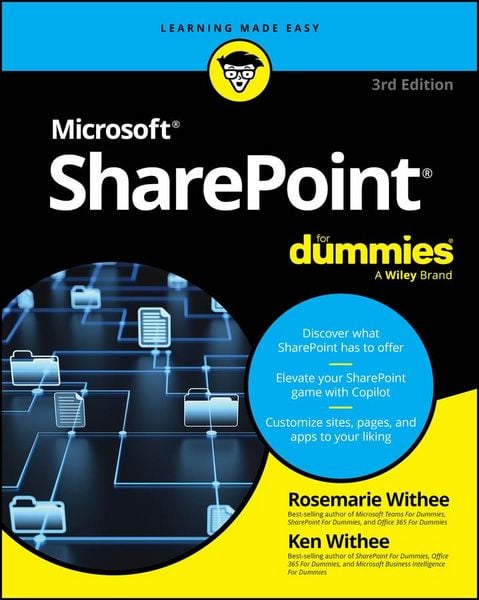
SharePoint For Dummies
-
- Taschenbuch ausgewählt
- eBook
-
Sprache:Englisch
29,99 €
inkl. gesetzl. MwSt.,
Beschreibung
Produktdetails
Einband
Taschenbuch
Erscheinungsdatum
01.05.2025
Verlag
John Wiley & SonsSeitenzahl
400
Maße (L/B/H)
23/18,5/2,6 cm
Gewicht
732 g
Farbe
Schwarz / Graublau
Auflage
3. Auflage
Sprache
Englisch
ISBN
978-1-394-29554-8
Become a SharePoint ® power user quickly and efficiently
Level up your SharePoint skills with this trusted and easy-to-read guide! In Microsoft ® SharePoint ® For Dummies, you'll learn to create sites, upload and manage documents, collaborate with coworkers, and streamline workflows. You'll also figure out how to use SharePoint's newly implemented AI functionality, Copilot ®, and integrate the software with all kinds of tools you already use. This updated edition walks you through each and every feature you need to understand to become fully fluent in one of Microsoft's most popular and widely used programs.
Inside...
- Improve your SharePoint processes
- Customize your SharePoint sites
- Collaborate with other users
- Increase your efficiency with automation
- Manage access to files and resources
- Track and summarize content
- Integrate SharePoint with other tools
- Use Copilot to boost your expertise in SharePoint
Noch keine Bewertungen vorhanden
Verfassen Sie die erste Bewertung zu diesem Artikel
Helfen Sie anderen Kundinnen und Kunden durch Ihre Meinung.
Kurze Frage zu unserer Seite
Vielen Dank für Ihr Feedback
Wir nutzen Ihr Feedback, um unsere Produktseiten zu verbessern. Bitte haben Sie Verständnis, dass wir Ihnen keine Rückmeldung geben können. Falls Sie Kontakt mit uns aufnehmen möchten, können Sie sich aber gerne an unseren Kund*innenservice wenden.
zum Kundenservice