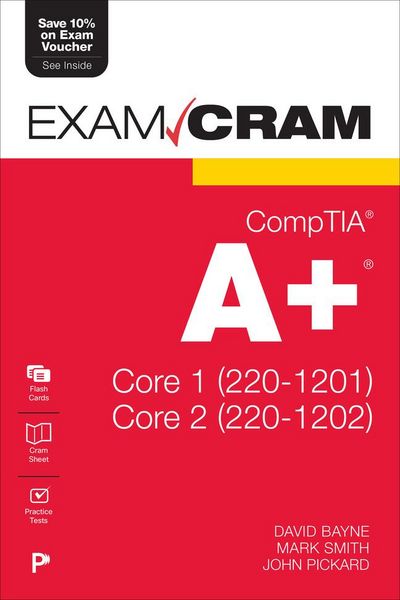
Produktbild: Comptia A+ Core 1 (220-1201) and Core 2 (220-1202) Exam Cram

Comptia A+ Core 1 (220-1201) and Core 2 (220-1202) Exam Cram

56,99 €

inkl. gesetzl. MwSt., Versandkostenfrei


Beschreibung

Produktdetails

Einband

Taschenbuch

Erscheinungsdatum

01.10.2025

Verlag

Pearson Academic

Seitenzahl

1216

Maße (L/B/H)

22,8/15,2/4,4 cm

Gewicht

1420 g

Auflage

2nd edition

Sprache

Englisch

ISBN

978-0-13-544690-4

Beschreibung

Produktdetails

Einband

Taschenbuch

Erscheinungsdatum

01.10.2025

Verlag

Pearson Academic

Seitenzahl

1216

Maße (L/B/H)

22,8/15,2/4,4 cm

Gewicht

1420 g

Auflage

2nd edition

Sprache

Englisch

ISBN

978-0-13-544690-4

Herstelleradresse

Libri GmbH
Europaallee 1
36244 Bad Hersfeld
DE

Email: gpsr@libri.de

Noch keine Bewertungen vorhanden

Verfassen Sie die erste Bewertung zu diesem Artikel

Helfen Sie anderen Kundinnen und Kunden durch Ihre Meinung.

Kundinnen und Kunden meinen

Bewertungen (0)

Die Leseprobe wird geladen.
  • Produktbild: Comptia A+ Core 1 (220-1201) and Core 2 (220-1202) Exam Cram
  • Introduction
    Part I: Introduction to Core 1 (220-1201)
    Core 1 (220-1201) Domain 1.0:
    Mobile Devices
    Chapter 1: Monitoring, Maintaining, and Replacing Mobile Device Hardware
    Introduction to Laptops
    Power
    Keyboards/Keys
    Touchpad
    Random-Access Memory (RAM)
    Storage Drives.
    Communications.
    Camera/Webcam and Microphone.
    Wi-Fi Antenna Connector and Placement
    Physical Privacy and Security Components
    Chapter 2: Mobile Device Accessories and Connectivity Options
    Connection Types
    Accessories
    Chapter 3: Mobile Device Network Connectivity and Application Support
    Enabling Wireless Functions
    Bluetooth
    Email Configuration
    Cellular Radio Technologies
    Location Services
    Synchronization Methods
    Mobile Device Management (MDM)
    Core 1 (220-1201) Domain 2.0: Networking
    Chapter 4: TCP and UDP Ports and Protocols
    TCP vs. UDP
    Ports and Protocols
    Chapter 5: Wireless Technologies
    802.11 Wireless
    Long-Range Fixed Wireless
    RFID
    Chapter 6: Networked Hosts
    Server Roles
    Internet Security Appliances
    Embedded Systems and IoT
    Chapter 7: Network Configuration Concepts
    DNS
    Email Authentication Methods
    DHCP
    VLANs
    VPNs
    Chapter 8: Network Devices
    Switches
    Routers
    Access Points
    Firewalls
    Network Interface Cards
    Patch Panels
    Power over Ethernet
    Cable/DSL Modems
    Network Interface Devices
    Chapter 9: SOHO Network Configuration
    Configuring IPv4
    Private vs. Public Addresses
    Configuring IPv6
    Chapter 10: Network Types
    Network Types
    Internet Connection Types
    Chapter 11: Networking Tools
    Network Cabling Tools
    Network Tap
    Wi-Fi Analyzers
    Core 1 (220-1201) Domain 3.0: Hardware
    Chapter 12: Device Display Components
    Display Types
    Inverter and Backlight
    Digitizers and Touchscreens
    Attributes
    Chapter 13: Cables and Connectors
    Network Cables
    Peripheral Cables and Connectors
    Video Cables and Connectors
    Storage Drive Cables and Connectors
    Adapters
    Chapter 14: RAM
    RAM Types
    Installing RAM
    RAM Technologies
    Chapter 15: Storage Drives
    SATA
    Magnetic Hard Drives
    Solid-State Drives
    RAID
    Flash
    Optical Drives
    Chapter 16: Motherboards and Add-on Cards
    Motherboard Form Factors and Connector Types
    Expansion Cards
    More Ports and Connectors
    BIOS/UEFI Settings
    The POST
    Chapter 17: CPUs
    CPU Architecture
    CPU Compatibility
    Power Consumption
    Cooling Mechanisms
    Installing CPUs
    Chapter 18: Power
    Planning Which Power Supply to Use
    Installing the Power Supply
    Chapter 19: Multifunction Devices/Printers
    Setup Considerations
    Firmware
    Printer Configuration Settings
    Local vs. Network Printers
    Basic Printer Security
    Chapter 20: Printer Maintenance
    Laser Printers
    Inkjet Printers
    Thermal Printers
    Impact Printers
    Core 1 (220-1201) Domain 4.0: Virtualization and Cloud Computing
    Chapter 21: Virtualization Concepts
    Purpose of Virtual Machines
    Desktop Virtualization
    Hypervisors
    Examples of Virtual Machine Software
    Virtual Machine Requirements
    Cross-Platform Virtualization
    Containers and Sandboxes
    Chapter 22: Cloud Computing Concepts
    Introduction to Cloud Computing
    Common Cloud Models
    Cloud Computing Characteristics
    Core 1 (220-1201) Domain 5.0: Hardware and Network Troubleshooting
    Chapter 23: Troubleshooting Motherboards, CPUs, RAM, and Power
    Troubleshooting Motherboards
    Troubleshooting CPUs
    Troubleshooting RAM
    Troubleshooting Power Supply Issues
    Heating and Cooling
    Chapter 24: Troubleshooting Storage Drives and RAID Arrays
    Preventive Maintenance and Troubleshooting of Storage Drives
    Troubleshooting RAID Arrays
    Chapter 25: Troubleshooting Video Issues
    PC Video Troubleshooting
    External Laptop Monitors and Projectors
    Chapter 26: Troubleshooting Mobile Devices
    Mobile Device Display Troubleshooting
    Mobile Device Overheating
    More Mobile Device Troubleshooting
    Disassembling Processes
    Chapter 27: Troubleshooting Wired and Wireless Network Problems
    Troubleshooting Common Symptoms
    Chapter 28: Troubleshooting Printers
    Troubleshooting Printers
    Print Jobs and the Print Spooler
    A+ Core 1 (220-1201) Practice Exam
    Part II: Introduction to Core 2 (220-1202)
    Core 2 (220-1202) Domain 1.0:
    Operating Systems
    Chapter 29: Common Operating Systems
    Workstation Operating Systems
    Mobile Operating Systems
    File System Types and Formatting
    Vendor Life-Cycle Limitations
    Compatibility Concerns Between Operating Systems
    Chapter 30: Operating System Installations and Upgrades
    Boot Methods
    Types of Installations
    Partitioning
    More OS Installation and Upgrade Considerations
    Chapter 31: Basic Features of Windows Editions
    Windows 10 Editions and Feature Differences
    Windows 11 Editions and Feature Differences
    Windows Desktop/User Interface and Components
    Windows Upgrade Paths
    Windows 11
    Windows N
    Windows 10 End of Support
    Chapter 32: Microsoft Operating System Features and Tools, Part I
    Task Manager
    The MMC and Administrative Windows Tools
    Chapter 33: Microsoft Operating System Features and Tools, Part II
    Disk Management
    Additional Windows Tools
    Chapter 34: Microsoft Command-Line Tools, Part I
    Microsoft Command-Line Basics
    Navigating in the Command Line
    Working with Folders/Directories and Files
    Partitioning and File SystemBased Commands
    chkdsk and sfc
    winver
    Advanced Commands: gpupdate and gpresult
    Chapter 35: Microsoft Command-Line Tools, Part II
    Networking Commands
    Chapter 36: Windows Control Panel Utilities
    Opening and Viewing the Control Panel Utilities
    Bonus: Storage Sense
    Chapter 37: Windows Settings
    How to Access Windows Settings
    Internet Options
    Bluetooth & Devices
    System
    Accessibility
    Time & Language
    Windows Update & Security
    Personalization
    Gaming
    Accounts
    Control Panel Operations
    Chapter 38: Windows Networking
    Domain Joined vs. Workgroup Setup
    How to Establish Networking Connections
    Proxy Settings
    Chapter 39: macOS
    macOS Basics
    System Preferences
    macOS Features
    iCloud and Continuity
    macOS System Folders
    Managing and Maintaining macOS
    Installation and Uninstallation of Applications
    Apple ID
    Chapter 40: Linux
    Linux Basics
    Linux Desktop Distributions
    Linux Partition Scheme and File System
    Linux Command Line
    Recovery Mode
    Common Configuration Files
    Linux Best Practices
    Chapter 41: Application Installation and Configuration Concepts
    32-Bit vs. 64-Bit
    System and OS Requirements for Applications
    Distribution Methods
    Other Considerations for New Applications
    Chapter 42: Cloud-Based Productivity Tools
    Email Systems
    Online Storage
    Collaboration Tools
    Identity Synchronization
    Licensing Assignment
    Core 2 (220-1202) Domain 2.0: Security
    Chapter 43: Physical Security
    Physical Locks
    Entry Systems
    Biometrics
    Other Physical Security Precautions
    Protecting Data Physically
    Chapter 44: Logical Security
    Authentication
    Just-in-Time Access
    Principle of Least Privilege
    MDM Policies
    More Logical Security Concepts
    Chapter 45: Windows Security Settings
    The CIA of Computer Security
    Microsoft Defender Antivirus
    Microsoft Defender Firewall
    Users and Groups
    Permissions
    File Security
    Active Directory
    Chapter 46: Wireless Security and Malware
    Comparing and Contrasting Wireless Security Protocols and Authentication Methods
    Detecting, Removing, and Preventing Malware Using the Appropriate Tools and Methods
    Chapter 47: Social Engineering, Threats, and Vulnerabilities
    Social Engineering
    Threats and Vulnerabilities
    Chapter 48: Workstation Best Practices
    Usernames and Passwords
    Password Policies
    Account Management and End-User Best Practices
    Disabling Unused Services
    Disabling AutoPlay/AutoRun
    Chapter 49: Mobile Device Security
    Hardening Techniques
    Theft and Loss of Mobile Devices
    Compromised and Damaged Devices
    IoT Security
    Policies and Procedures
    Chapter 50: Data Destruction and Disposal
    Data Security 101
    Formatting Drives
    Overwriting Drives
    Physical Destruction
    Regulatory and Environmental Requirements
    Chapter 51: SOHO Security
    Removing SOHO Malware
    Applying Security Settings on SOHO Wireless and Wired Networks
    Chapter 52: Browser Security
    Browser Download/Installation
    Settings
    Extensions and Plug-ins
    Password Managers
    Secure Connections
    More Settings
    Core 2 (220-1202) Domain 3.0: Software Troubleshooting
    Chapter 53: Troubleshooting Microsoft Windows
    Windows Recovery
    System Restore
    Improper, Spontaneous, and Frequent Shutdowns
    Blue Screen of Death (BSOD) Stop Errors
    How to Restore Windows
    Common Windows Symptoms and Solutions
    Chapter 54: Troubleshooting Mobile Operating Systems and Applications
    Wireless Troubleshooting
    Troubleshooting and Stopping Applications
    Initiating Resets
    More Mobile Application and OS Troubleshooting
    Addressing Video Issues
    Chapter 55: Troubleshooting Mobile Operating Systems Security Issues
    Mobile Device Security Concerns and Symptoms
    Chapter 56: Troubleshooting PC Security Issues
    Symptoms of Viruses
    Symptoms of Spyware
    More Symptoms of PC Security Issues and Potential Solutions
    Core 2 (220-1202) Domain 4.0: Operational Procedures
    Chapter 57: Documentation
    Types of Documents
    Knowledge Base/Articles
    Ticketing Systems
    Asset Management
    Chapter 58: Change Management and Backup Methods
    Understanding Basic Change Management Best Practices
    Implementing Workstation Backup and Recovery Methods
    Chapter 59: Safety Procedures
    ESD Prevention and Equipment Grounding
    Electrical Safety
    Electrical Fire Safety
    Physical Safety
    Chapter 60: Environmental Controls
    Temperature, Humidity, and Air
    MSDS and Disposal
    Power Devices
    Chapter 61: Incident Response, Communication, and Professionalism
    Understanding the Importance of Prohibited Content/Activity and Privacy, Licensing, and Policy Concepts
    Using Proper Communication Techniques and Professionalism
    Chapter 62: Basic Scripting, Part I
    Programming 101
    When to Use Scripts
    Other Considerations When Using Scripts
    Chapter 63: Basic Scripting, Part II
    PowerShell and .ps1
    Bash and .sh
    Use Cases and Other Considerations for PowerShell and Bash
    Python and .py
    JavaScript and .js
    Visual Basic Script and .vbs
    Chapter 64: Remote Access Technologies
    Remote Desktop
    SSH
    Simple Protocol for Independent Computing Environments (SPICE)
    Windows Remote Management (WinRM)
    More Third-Party Tools
    VPN
    Chapter 65: Appropriate Use of Artificial Intelligence
    Application Integration
    Policy and Privacy
    Limitations of AI
    Chapter 66: Getting Ready for the Exams, and Farewell
    Getting Ready for the Exams
    Tips for Taking the Real Exams
    Beyond the CompTIA A+ Certification
    A+ Core 2 (220-1202) Practice Exam
    The CompTIA A+ Cram Sheet