Gutscheinbedingungen

Gültig bis 10.06.2026 | Gültig für nicht preisgebundene gebrauchte Bücher | Mindestbestellwert 20,00€ | Einzelne Artikel können ausgeschlossen sein | Online auf osiander.de und in der Osiander App einlösbar | Click & Collect nur mit Online-Zahlung (Paypal/Kreditkarte) vorab | Nicht kombinierbar mit anderen Gutscheinen oder Preisaktionen | Nur einmal pro Einkauf einlösbar | Gutschein wird auf max. 500€ Bestellwert angerechnet | Keine Barauszahlung | Nicht gültig für Versandkosten und Services

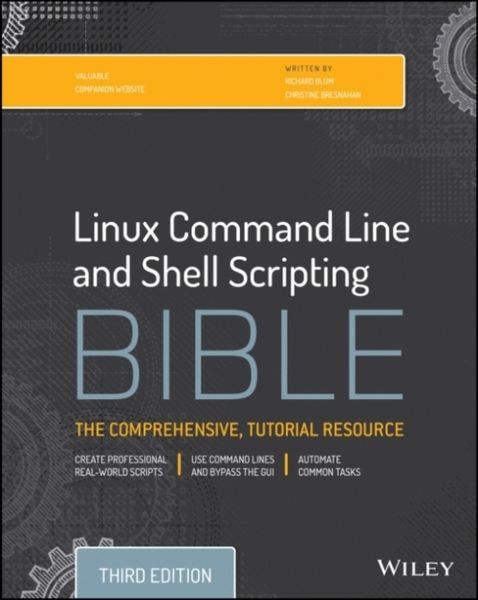
Produktbild: Linux Command Line and Shell Scripting Bible
Gebraucht

Linux Command Line and Shell Scripting Bible 3rd Edition

Aus der Reihe Bible

25,55 €

inkl. gesetzl. MwSt., Versandkostenfrei

Lieferung nach Hause

Beschreibung

Produktdetails

Zustand

Gut

Einband

Taschenbuch

Erscheinungsdatum

20.01.2015

Verlag

John Wiley & Sons

Seitenzahl

816

Maße (L/B/H)

23,3/18,9/4,9 cm

Gewicht

1500 g

Auflage

3. Auflage

Sprache

Englisch

EAN

2710004803511

Beschreibung

Produktdetails

Zustand

Gut

Einband

Taschenbuch

Erscheinungsdatum

20.01.2015

Verlag

John Wiley & Sons

Seitenzahl

816

Maße (L/B/H)

23,3/18,9/4,9 cm

Gewicht

1500 g

Auflage

3. Auflage

Sprache

Englisch

EAN

2710004803511

Kundinnen und Kunden meinen

0 Bewertungen

Informationen zu Bewertungen

Zur Abgabe einer Bewertung ist eine Anmeldung im Konto notwendig. Die Authentizität der Bewertungen wird von uns nicht überprüft. Wir behalten uns vor, Bewertungstexte, die unseren Richtlinien widersprechen, entsprechend zu kürzen oder zu löschen.

Die Bewertungen sind nach Format, Anzahl Sterne und Datum sortiert.

Verfassen Sie die erste Bewertung zu diesem Artikel

Helfen Sie anderen Kund*innen durch Ihre Meinung

Kundinnen und Kunden meinen

0 Bewertungen filtern

Die Leseprobe wird geladen.
  • Produktbild: Linux Command Line and Shell Scripting Bible
  • Introduction xxxi

    Part I: The Linux Command Line 1

    Chapter 1: Starting with Linux Shells 3

    What Is Linux? 3

    Looking into the Linux kernel 4

    The GNU utilities 9

    The Linux desktop environment 11

    Linux Distributions 17

    Summary 21

    Chapter 2: Getting to the Shell 23

    Reaching the Command Line 23

    Accessing CLI via a Linux Console Terminal 25

    Accessing CLI via Graphical Terminal Emulation 28

    Using the GNOME Terminal Emulator 29

    Using the Konsole Terminal Emulator 35

    Using the xterm Terminal Emulator 41

    Summary 44

    Chapter 3: Basic bash Shell Commands 47

    Starting the Shell 47

    Using the Shell Prompt 48

    Interacting with the bash Manual 49

    Navigating the Filesystem 52

    Listing Files and Directories 59

    Handling Files 64

    Managing Directories 73

    Viewing File Contents 77

    Viewing parts of a file 81

    Summary 83

    Chapter 4: More bash Shell Commands 85

    Monitoring Programs 85

    Monitoring Disk Space 96

    Working with Data Files 102

    Summary 111

    Chapter 5: Understanding the Shell 113

    Exploring Shell Types 113

    Exploring Parent and Child Shell Relationships 115

    Understanding Shell Built-In Commands 125

    Summary 132

    Chapter 6: Using Linux Environment Variables 135

    Exploring Environment Variables 135

    Setting User-Defined Variables 138

    Removing Environment Variables 142

    Uncovering Default Shell Environment Variables 143

    Setting the PATH Environment Variable 148

    Locating System Environment Variables 150

    Learning about Variable Arrays 158

    Summary 159

    Chapter 7: Understanding Linux File Permissions 161

    Linux Security 161

    Using Linux Groups 172

    Decoding File Permissions 175

    Changing Security Settings 179

    Sharing Files 182

    Summary 184

    Chapter 8: Managing Filesystems 187

    Exploring Linux Filesystems 187

    Understanding the copy-on-write filesystems 192

    Working with Filesystems 192

    Managing Logical Volumes 200

    Summary 210

    Chapter 9: Installing Software 211

    Package Management Primer 211

    The Debian-Based Systems 212

    The Red Hat-Based Systems 221

    Installing from Source Code 228

    Summary 232

    Chapter 10: Working with Editors 233

    Visiting the vim Editor 233

    Navigating the nano Editor 240

    Exploring the emacs Editor 242

    Exploring the KDE Family of Editors 251

    Exploring the GNOME Editor 260

    Summary 265

    Part II: Shell Scripting Basics 267

    Chapter 11: Basic Script Building 269

    Using Multiple Commands 269

    Creating a Script File 270

    Displaying Messages 272

    Using Variables 274

    Redirecting Input and Output 279

    Pipes 281

    Performing Math 285

    Exiting the Script 292

    Summary 295

    Chapter 12: Using Structured Commands 297

    Working with the if-then Statement 297

    Exploring the if-then-else Statement 300

    Nesting ifs 301

    Trying the test Command 304

    Considering Compound Testing 324

    Working with Advanced if-then Features 325

    Considering the case Command 327

    Summary 329

    Chapter 13: More Structured Commands 331

    The for Command 331

    The C-Style for Command 341

    The while Command 343

    The until Command 346

    Nesting Loops 347

    Looping on File Data 350

    Controlling the Loop 351

    Processing the Output of a Loop 358

    Practical Examples 359

    Summary 362

    Chapter 14: Handling User Input 365

    Passing Parameters 365

    Using Special Parameter Variables 371

    Being Shifty 375

    Working with Options 376

    Standardizing Options 387

    Getting User Input 388

    Summary 392

    Chapter 15: Presenting Data 395

    Understanding Input and Output 395

    Redirecting Output in Scripts 400

    Redirecting Input in Scripts 402

    Creating Your Own Redirection 403

    Listing Open File Descriptors 408

    Suppressing Command Output 410

    Using Temporary Files 411

    Logging Messages 414

    Practical Example 416

    Summary 418

    Chapter 16: Script Control 419

    Handling Signals 419

    Running Scripts in Background Mode 427

    Running Scripts without a Hang-Up 430

    Controlling the Job 432

    Being Nice 436

    Running Like Clockwork 438

    Summary 446

    Part III: Advanced Shell Scripting 447

    Chapter 17: Creating Functions 449

    Basic Script Functions 449

    Returning a Value 453

    Using Variables in Functions 456

    Array Variables and Functions 461

    Function Recursion 464

    Following a Practical Example 470

    Summary 474

    Chapter 18: Writing Scripts for Graphical Desktops 477

    Creating Text Menus 477

    Doing Windows 484

    Getting Graphic 496

    Summary 504

    Chapter 19: Introducing sed and gawk 505

    Manipulating Text 505

    Getting to know the sed editor 505

    Getting to know the gawk program 509

    Commanding at the sed Editor Basics 516

    Using addresses 518

    Deleting lines 521

    Inserting and appending text 523

    Changing lines 525

    Transforming characters 527

    Printing revisited 527

    Using files with sed 530

    Summary 533

    Chapter 20: Regular Expressions 535

    What Are Regular Expressions? 535

    Defining BRE Patterns 537

    Plain text 537

    Special characters 539

    Anchor characters 540

    Extended Regular Expressions 549

    Regular Expressions in Action 554

    Summary 560

    Chapter 21: Advanced sed 561

    Looking at Multiline Commands 561

    Holding Space 567

    Negating a Command 569

    Changing the Flow 572

    Replacing via a Pattern 575

    Placing sed Commands in Scripts 577

    Creating sed Utilities 579

    Summary 588

    Chapter 22: Advanced gawk 591

    Using Variables 591

    Working with Arrays 600

    Using Patterns 602

    Structured Commands 605

    Formatted Printing 610

    Built-In Functions 613

    User-Defined Functions 617

    Working through a Practical Example 620

    Summary 621

    Chapter 23: Working with Alternative Shells 623

    What Is the dash Shell? 623

    The dash Shell Features 624

    The dash command line parameters 624

    The dash environment variables 625

    The dash built-in commands 628

    Scripting in dash 629

    Creating dash scripts 629

    Things that don't work 629

    The zsh Shell 632

    Parts of the zsh Shell 632

    Shell options 632

    Built-in commands 633

    Scripting with zsh 638

    Mathematical operations 639

    Structured commands 640

    Functions 641

    Summary 642

    Part IV: Creating Practical Scripts 643

    Chapter 24 Writing Simple Script Utilities 645

    Performing Archives 645

    Archiving data files 645

    Managing User Accounts 656

    Obtaining the required functions 657

    Creating the script 665

    Running the script 671

    Monitoring Disk Space 673

    Obtaining the required functions 673

    Creating the script 676

    Running the script 677

    Summary 678

    Chapter 25: Producing Scripts for Database, Web, and E-Mail 681

    Using a MySQL Database 681

    Using MySQL 682

    Using the database in your scripts 692

    Using the Web 697

    Installing Lynx 698

    The lynx command line 699

    The Lynx configuration file 700

    Capturing data from Lynx 701

    Using E-Mail 704

    Summary 708

    Chapter 26: Creating Fun Little Shell Scripts 709

    Sending a Message 709

    Understanding the required functions 709

    Creating the script 712

    Obtaining a Quote 720

    Understanding the required functions 720

    Creating the script 724

    Generating an Excuse 731

    Understanding the required functions 732

    Creating the script 735

    Summary 737

    Appendix A: Quick Guide to bash Commands 739

    Appendix B: Quick Guide to sed and gawk 751

    Index 763